<?xml version="1.0" encoding="UTF-8"?><?xml-stylesheet type="text/xsl" href="xsl_productPage.asp?pageName=/products/DVX-2100HD.asp"?>

<product>
  <details>
    <name>DVX-2100HD</name>
    <description>Total Environment Controller</description>
    <text>
      <p><strong>OVERVIEW</strong><br />
        The DVX-2100HD Enova Total Environment Controller combines all of the components you need to control/automate any environment into a simple, flexible, comprehensive solution including control, multi-format inputs, video switching, transcoding and scaling, local and remote distribution, plus audio mixing, and amplification - all in a single box.  The new and improved DVX features two independent DVI-I Digital and Analog video outputs enabling digital video to be delivered to two separate displays.</p>
      <p><strong>COMMON APPLICATION</strong><br />
        The DVX-2100HD is an ideal presentation solution when used to simplify A/V control and distribution in sophisticated presentation environments and conference rooms, including those supporting audio and video conferencing.  It also fits well in classrooms and auditoriums that need multiple displays, or video previewing. </p>
      <p><strong>FEATURES</strong>
      <ul>
        <li><strong>SmartScale™ Up to Higher Resolutions</strong> – The DVX can automatically communicate with newly connected display devices to determine native resolutions and can up convert any input signals beyond HD resolutions up to 1920x1200.</li>
        <li><strong>Commands Signal Management Flexibility</strong> – Over 200 input signal combinations of DVI , RGB, Component, S-Video, and Composite. Don’t worry about having too many of one signal style or not enough of another – just grab an adapter cable and go. Digital never looked so good.</li>
        <li><strong>Simplifies Setup &amp; Saves Time and Money</strong> – The DVX-2100HD is a total environment solution that eliminates the need for separate devices, thus reducing connectivity time, integration time, hardware installation time, and that all reduces your overall cost.</li>
        <li><strong>Maximizes Video Productivity</strong> – Built-in transcoding and scaling automatically optimizes the management of all your video input and output challenges.</li>
        <li><strong>Provides Quality Audio Processing</strong> – Built-in audio mixing and amplification that outputs two channels at 25 Watts each into 8-ohms or 75 Watts at 70V or 100V after passing through a mixer and an integrated 5-band* equalizer to accommodate the size, furnishings, surfaces and functionality requirements in every room. There's also a stereo line level output with its own mixing and equalization settings.<br />
        </li>
        <li><strong>Superior Integrated Control</strong> – Includes the same quality and reliability you have come to demand with the equivalent of a NetLinx NI-2100 central controller. The DVX also includes a front control panel for an added level of convenience. The DVX comes complete with our standard RS-232, IR, digital I/O and relay control ports for control over environment and third-party equipment.</li>
        <li><strong>Simplifies Wiring and Installation</strong> – Integrating all of this into a single box has obvious advantages over the connectivity challenges associated with wiring up as many as a dozen separate devices, not including source devices.</li>
        <li><strong>Offers Remote Connectivity via Cat5</strong> – Connect up to two remote A/V sources over Cat5/5e/6 up to 50 meters (150 feet) away using UDM transport technology also found in AMX Endeleo products. And take advantage of the HydraPort retractable cable connection port plus the UPX universal transmitter wallplates to get the job done with class.</li>
      </ul>
      </p>
    </text>
    <tabSections>
      <section name="Specifications">
        <text>
          <p><strong>SPECIFICATIONS</strong></p>
          <p><strong>DIMENSIONS (HWD)</strong><br />
            3 1/2" x 17" x 14 1/4" (8.89 cm x 43.18 cm x 36.2 cm)</p>
          <p><strong>WEIGHT:</strong><br />
            14.7 lb (6.67 kg)</p>
          <p><strong>POWER</strong><br />
            110-240V, 47/63 Hz, 3A maximum AC supply</p>
          <p><strong>MEMORY</strong>
          <ul>
            <li>64 MB SDRAM</li>
            <li>1 MB Non-volatile (NV) SRAM</li>
          </ul>
          </p>
          <p><strong>FLASH</strong><br />
            256 MB</p>
          <p><strong>AMPLIFIER</strong>
          <ul>
            <li>DVX-2100HD-SP: 2 x 25W into 8 Ohms Class D stereo amplifier</li>
            <li>DVX-2100HD-T: 75W, 70V/100V mono amplifier</li>
          </ul>
          </p>
          <p><strong>ENCLOSURE</strong><br />
            Metal with black matte finish</p>
          <p><strong>INTEGRATED CONTROLLER</strong><br />
            Equivalent of a NetLinx 2100 central controller on-board</p>
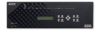
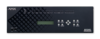
          <p><strong>FRONT PANEL COMPONENTS</strong>
          <ul>
            <li>LINK/ACT (green)&#58; Link/Activity LED blinks when receiving Ethernet data packets.</li>
            <li>STATUS (green)&#58; Status LED blinks to indicate that the system is programmed and communicating properly.</li>
            <li>INPUT (yellow)&#58; Input LED blinks to indicate that the Controller is receiving data.</li>
            <li>OUTPUT (red)&#58; Output LED blinks to indicate that the Controller is transmitting data.</li>
            <li>RS-232 / 422 / 485 (red/yellow)&#58; 3 sets of LEDs indicate that RS-232/422/485 Ports (1-3) are transmitting or receiving data.</li>
            <li>RELAYS (red)&#58; 4 LEDs indicate that one or more of the relay channels (1-4) are active (closed).</li>
            <li>IR/SERIAL (red)&#58; 4 LEDs indicate that one or more of the IR/Serial channels (1-4) are transmitting control data.</li>
            <li>I/O (yellow)&#58; 4 LEDs indicate that one or more of the I/O channels (1-4) are active.</li>
            <li>MACROS pushbuttons&#58; 4 back-lit pushbuttons allow access to macro functions. Macro functions are programmed via NetLinx code.</li>
            <li>INPUT SELECT pushbuttons&#58; 6 back-lit (multi-color) source selection pushbuttons select an Input (source). Pressing an INPUT SELECT button after pressing the VIDEO MENU button activates only the video for the source input. Similarly, pressing the AUDIO MENU button followed by an INPUT SELECT button activates only the audio on the source input.</li>
            <li>MIC SELECT pushbuttons&#58; 2 back-lit (yellow) buttons for selecting a microphone. Each button lights to indicate that a microphone is selected.</li>
            <li>LCD display&#58; Liquid crystal display (2 lines with 20 characters per line) indicates current volume level and displays the Video, Audio, and Tools menus.</li>
            <li>VIDEO MENU pushbutton&#58; Press to access the Video menu on the LCD display.</li>
            <li>AUDIO MENU pushbutton&#58; Press to access the Audio menu on the LCD display.</li>
            <li>Navigational pushbuttons&#58; 4 directional buttons for navigating the options in the Video and Audio menu (on the LCD display).</li>
            <li>VIDEO MUTE pushbutton&#58; Press to mute/un-mute (enable/disable) all video output displays. Video Mute results in a blank screen on the output display.</li>
            <li>AUDIO MUTE pushbutton&#58; Press to mute/un-mute all audio outputs.</li>
          </ul>
          </p>
          <p><strong>REAR PANEL COMPONENTS</strong>
          <ul>
            <li>RS-232/422/485 (Ports 1-3) provide serial control via DB9 (male) connectors&#58;</li>
            <ul>
              <li>XON/XOFF (transmit on/transmit off)</li>
              <li>CTS/RTS (clear to send/ready to send)</li>
              <li>300-115,200 baud</li>
            </ul>
            <li>RELAYS (Port 4) provides relay control via 8-pin 3.5 mm captive-wire connector&#58;</li>
            <ul>
              <li>4-channel single-pole single-throw relay ports</li>
              <li>Each relay is independently controlled</li>
              <li>Supports up to 4 independent external relay devices</li>
              <li>Channel range &#61; 1-4</li>
              <li>Each relay can switch up to 24 VDC or 28 VAC &#64; 1 A</li>
              <li>One 8-pin 3.5 mm mini-Phoenix (female) connectors provide relay termination</li>
            </ul>
            <li>IR/SERIAL (Ports 5-8) provide IR/Serial control via 2-pin 3.5 mm captive-wire connectors&#58;</li>
            <ul>
              <li>Supports high-frequency carriers of up to 1.142 MHz</li>
              <li>4 IR/Serial data signals can be generated simultaneously</li>
            </ul>
            <li>I/O (Port 9) provides 4-channel binary I/O port for contact closure with each input being capable of voltage sensing.</li>
            <li>AUDIO INPUTS 4 3.5mm 5-pin captive-wire connectors receive up to four balanced/unbalanced line level audio inputs:</li>
            <ul>
              <li>Nominal input level: +4 dBu (1.228 Vrms) balanced or -10 dBV (0.3162 Vrms) unbalanced</li>
              <li>Maximum input level: 2 Vrms</li>
              <li>Input impedance: &#62;12k ohms unbalanced, &#62;12k ohms balanced, DC coupled</li>
            </ul>
            <li>MIC INPUTS&#58; 2 3.5mm 3-pin captive-wire connectors receive up to 2 mono microphones (balanced or unbalanced audio and switchable Phantom Power).</li>
            <li>AUDIO OUTPUTS&#58;</li>
            <ul>
              <li>LINE: 1 3.5mm 5-pin captive-wire connector provides for fixed or variable, balanced or unbalanced, mono or stereo line level audio output</li>
              <li>AMP: 2-position captive wire connector provides amplified audio output with volume control</li>
            </ul>
            <li>VIDEO INPUTS (1-4)&#58; 4 DVI-I input connectors provide multi-format video inputs for up to four video sources. Each VIDEO INPUT connector supports RGBHV, S-video, composite video, component video, and DVI input.</li>
            <li>UDM INPUTS (5-6)&#58; 2 RJ-45 inputs receive audio and video from up to two UDM Multi-Format Distribution Hubs or UPX wallplates. The DVX-2100HD-SP is compatible with all UDM Multi-Format Distribution Hubs.</li>
            <li>VIDEO OUTPUTS (FG1905-04/-05) 1&#38;2</li>
            <ul>
            	<li>Two video output connectors provide two separate types of video output</li>
                <ul>
                	<li>2 - DVI-I Output connectors provides digital and analog video output. You can view Digital and Analog output one at a time or at the same time by using a DVI splitter</li>
                    <li>2 - 1 RJ-45 connector allows the DVX-2100HD-SP to connect to a UDM Multi-Format Receiver (Follows DVI-I Video Output &#35;1)</li>
                </ul>
            </ul>
            <li>VIDEO OUTPUTS (FG1905-01/-02)</li>
            <ul>
            	<li>OUTPUT 1&#58; Two video output connectors provide two separate types of video output&#58;</li>
                <ul>
                	<li>1 - DVI-I Output connector provides digital and analog video output. You can view Digital and Analog output one at a time or at the same time by using a DVI splitter. This video output is also sent to the UDM RJ-45 output. See the DVI-I VIDEO OUTPUT Connector (1) section on page 28 for details.</li>
                    <li>2 - 1 RJ-45 connector allows the DVX-2100HD-SP to connect to a UDM Multi-Format Receiver</li>
                </ul>
                <li>OUTPUT 2&#58;1 RGB output connector provides analog video output</li>
            </ul>
            <li>VIDEO OUTPUTS (2)&#58; 1 RGB output connector provides analog video output.</li>
            <li>CONFIG DIP Switch&#58; 4-position Master configuration DIP switch allows setting the onboard Master execution mode (PRD or normal).</li>
            <li>PROGRAM Port&#58; USB connector that supports USB communications to a PC for system configuration and diagnostics</li>
            <li>ID Pushbutton&#58; Black ID pushbutton sets the NetLinx Device ID assignments of the Internal Control
              Device. It has no effect on the Internal Switcher Device.k.</li>
            <li>ETHERNET 10/100 Port&#58; RJ-45 connector provides TCP/IP communication. This is an Auto MDI/MDI-X enabled port, which allows you to use either straight-through or crossover Ethernet cables. The Ethernet Port LEDs show communication activity, connection status, speeds, and mode information:</li>
            <ul>
              <li>SPD (speed) - Yellow LED lights On when the connection speed is 100 Mbps and turns Off when the speed is 10 Mbps.</li>
              <li>L/A (link/activity) - Green LED lights On when the Ethernet cables are connected and terminated correctly, and blinks when receiving Ethernet data packets.</li>
            </ul>
            <li>AxLink Port&#58; 1 3.5 mm captive-wire connector provides data and power to external control devices. The AxLink LED (green) indicates the state of the AxLink port.</li>
          </ul>
          </p>
          <p><strong>Power Connector IEC Power cord connector:</strong>
          <ul>
            <li>100-240V AC</li>
            <li>47-63Hz</li>
            <li>2.5A maximum</li>
          </ul>
          </p>
          <p><strong>ENVIRONMENTAL</strong>
          <ul>
            <li>Operating Temperature: 0&#0176; C to 40&#0176; C (32&#0176; F to 104&#0176; F)</li>
            <li>Operating Humidity: 5&#37; - 85&#37; RH</li>
            <li>Storage Temperature: -10&#0176; C to 70&#0176; C (14&#0176; F to 158&#0176; F)</li>
          </ul>
          </p>
          <p><strong>SUPPORTED VIDEO RESOLUTIONS</strong><br />
            HD resolutions up to 1080p and RGB resolutions up to 1920 x 1200 &#64; 60Hz</p>
          <p><strong>CERTIFICATIONS</strong>
          <ul>
            <li>RoHS</li>
            <li>FCC Class B</li>
            <li>CE</li>
            <li>cTUVus</li>
          </ul>
          </p>
          <p><strong>INCLUDED ACCESSORIES</strong><br />
          <ul>
            <li>2 CC-NIRC, IR Emitter w/3.5mm Phoenix (FG10-000-11)</li>
            <li>2 CC-DVIM-VGAF, DVI to VGA Adapter (FG10-2170-13)</li>
            <li>2 Front Rack Mounting Brackets (62-1905-04)</li>
            <li>Enova DVX-2100HD-SP Total Environment Controller Installation Guide (93-1950-01)</li>
          </ul>
          </p>
        </text>
      </section>
      <section name="Diagram">
        <diagramID></diagramID>
        <pdfURL>/assets/diagrams/DVX-2100HD.Diagram.pdf</pdfURL>
        <sampleImageURL>/imgs/diagrams/DVX-2100HD.Diagram.png</sampleImageURL>
        <target>_blank</target>
        <fileInfo>PDF  |  172 KB</fileInfo>
      </section>
      <section name="Training">
        <text>
          <p>Learn important installation, configuration and programming techniques in the following course(s) from AMX University:
          <ul>
            <li>Getting Started with Enova (Online)</li>
            <li>Getting Started with Enova DVX-2100HD (Online)</li>
            <li>Enova DVX-2100HD Design &amp; Implementation (Online)</li>
          </ul>
          </p>
          <p>For schedules and registration for these and any AMX University courses, visit <a href="/training/">www.amx.com/training</a>.</p>
        </text>
      </section>
      <section name="Recommended Accessories"> </section>
    </tabSections>
    <noteTab>
      <lineBig>3  |  4  |  4  |  4</lineBig>
      <lineSmall>Serial - Relay - IR - Digital I/O</lineSmall>
    </noteTab>
    <icons>
      <icon>
        <iconSrc>/assets/coolIcons/bullseye.png</iconSrc>
        <params name="Bullseye">
          <div>
            <p><strong>BULLSEYE TARGET PRODUCT</strong><br/>
              This is a Target Product as defined in the U.S. BullsEye Partnership Program. Participating AMX Dealers can be rewarded for purchasing Target Products as a &#37; of their total annual net revenue.</p>
          </div>
        </params>
      </icon>
      <icon>
        <iconSrc>/assets/coolIcons/miniSite.png</iconSrc>
        <params name="web">
          <div>
            <p><strong>SPOTLIGHT: Enova</strong><br/>
              A new, innovative philosophy on how you think about A/V technology: Enova is part of an evolution to collaborate, communicate and
              educate using AV technology. Visit <a href="/enova/" target="_blank">www.amx.com/enova/</a> to learn more.</p>
          </div>
        </params>
      </icon>
      <icon>
        <iconSrc>/assets/coolIcons/amxUniversity.png</iconSrc>
        <params name="amxUniversity">
          <div>
            <p><strong>TRAINING AVAILABLE</strong><br />
              Learn important installation, configuration and programming techniques in the following course(s) from AMX University:</p>
            <ul>
              <li>Getting Started with Enova (Online)</li>
              <li>Getting Started with Enova DVX-2100HD (Online)</li>
              <li>Enova DVX-2100HD Design &amp; Implementation (Online)</li>
            </ul>
            <p>For schedules and registration for these and any AMX University courses, visit <a href="/training/">www.amx.com/training</a>.</p>
          </div>
        </params>
      </icon>
      <icon>
        <params name="countryCode">
          <countryCode>MX</countryCode>
        </params>
      </icon>
    </icons>
    <graphics>
      <thumbnail>DVX-2100HD</thumbnail>
    </graphics>
    <breadcrumbs>
      <crumb>
        <name>Products</name>
        <url>default.asp</url>
      </crumb>
      <crumb>
        <name>Environment Controllers</name>
        <url>categoryEnvironmentControllers.asp</url>
      </crumb>
      <crumb>
        <name>DVX-2100HD</name>
        <url>DVX-2100HD.asp</url>
      </crumb>
    </breadcrumbs>
    <FGInfo>
      <FG>
        <name>FG1905-01</name>
        <description>2x25W Amp</description>
      </FG>
      <FG>
        <name>FG1905-02</name>
        <description>75W, 70V/100V Amp</description>
      </FG>
      <FG>
        <name>FG1905-04</name>
        <description>2 DVI-I Outputs, 2x25 W Amp</description>
      </FG>
      <FG>
        <name>FG1905-05</name>
        <description>2 DVI-I Outputs, 75W, 70V/100V Amp</description>
      </FG>
    </FGInfo>
  </details>
  <assets>
    <datasheets><datasheet>
<revisionDate>2009-11-04</revisionDate>
<categories>
<category>Env. Controllers</category>
</categories>
<name>DVX-2100HD Total Environment Controller</name>
<url>/techdocs/datasheets/DVX-2100HD.Datasheet.pdf</url>
<target>_blank</target>
<fileInfo>PDF  |  500 KB</fileInfo>
<products>
<product>DVX-2100HD</product>
</products>
</datasheet></datasheets>
    <aespecs><aespec>
<revisionDate>2010-01-05</revisionDate>
<categories>
<category>Env. Controllers</category>
</categories>
<priority>1</priority>
<name>DVX-2100HD Total Environment Controller</name>
<url>/techdocs/EngineeringSpecs/DVX2100HD-AES.doc</url>
<target>_blank</target>
<fileInfo>DOC  |  49 KB</fileInfo>
<products>
<product>DVX-2100HD</product>
</products>
</aespec></aespecs>
    <whitePapers><whitePaper>
<revisionDate>2009-11-11</revisionDate>
<categories>
<category>Env. Controllers</category>
</categories>
<name>How to Manage HDMI Signals in an Enova DVX Installation</name>
<url>/assets/whitePapers/AMX.HDMI.on.DVX.White.Paper.pdf</url>
<fileInfo>PDF  |  136 KB</fileInfo>
<target>_blank</target>
<products>
<product>DVX-2100HD</product>
</products>
</whitePaper></whitePapers>
    <drawings><drawing>
<categories>
<category>Pictorial (95) Drawings</category>
</categories>
<name>DVX-2100HD-SP 2x25W Amp Total Environment Controller</name>
<file>
<url>/techdocs/95-1905-01.pdf</url>
<target>_blank</target>
<fileInfo>PDF</fileInfo>
</file>
<file>
<url>/techdocs/endwgs/DWG/95-1905-01.dwg</url>
<target>_blank</target>
<fileInfo>DWG</fileInfo>
</file>
<file>
<url>/techdocs/endwgs/95-1905-01.dxf</url>
<target>_blank</target>
<fileInfo>DXF</fileInfo>
</file>
<products>
<product>DVX-2100HD</product>
</products>
</drawing><drawing>
<categories>
<category>Pictorial (95) Drawings</category>
</categories>
<name>DVX-2100HD-T 75W, 70V/100V Amp Total Environment Controller</name>
<file>
<url>/techdocs/95-1905-02.pdf</url>
<target>_blank</target>
<fileInfo>PDF</fileInfo>
</file>
<file>
<url>/techdocs/endwgs/DWG/95-1905-02.dwg</url>
<target>_blank</target>
<fileInfo>DWG</fileInfo>
</file>
<file>
<url>/techdocs/endwgs/95-1905-02.dxf</url>
<target>_blank</target>
<fileInfo>DXF</fileInfo>
</file>
<products>
<product>DVX-2100HD</product>
</products>
</drawing></drawings>
    <applicationFiles><application type="vendor">
<revisionDate>2008-07-10</revisionDate>
<categories>
<category>Installation Tools</category>
</categories>
<name>USB Drivers for NetLinx Integrated Controllers with USB Configuration Ports</name>
<version></version>
<url>http://www.ftdichip.com/Drivers/VCP.htm</url>
<target>_blank</target>
<fileInfo></fileInfo>
<fileDetails>
<span>Download USB Drivers for the NI-3101-SIG NetLinx Integrated Controller at <a href="http://www.ftdichip.com/Drivers/VCP.htm"> http://www.ftdichip.com/Drivers/VCP.htm</a>.</span>
</fileDetails>
<releaseDate></releaseDate>
<products>
<product>NI-3101-SIG</product>
<product>DVX-2100HD</product>
</products>
</application></applicationFiles>
    <firmwareFiles><firmware display="yes">
<revisionDate>2010-08-09</revisionDate>
<categories>
<category>Env. Controllers</category>
</categories>
<name>DVX-2100HD Firmware</name>
<version>3.53.316</version>
<url>/assets/firmwareFiles/SW1905_ZIP_DVX_2100HD_SP_T_v3_53_316.zip</url>
<target>_self</target>
<fileInfo>ZIP  |  8.81 MB</fileInfo>
<fileDetails>
<span>
<p><strong>Prerequisites:</strong></p>
<p>When downloading kit files from NetLinx Studio:
      <ul>
<li>Upgrading master firmware:</li>
<ul>
<li>use kit file SW1905_M_KIT_DVX_2100HD_SP_T_v3_53_316.kit.</li>
</ul>
<li>No change to NI device firmware (usually device 5001), but if upgrading this firmware:</li>
<ul>
<li>Use kit file SW2105_NI_X101_Device_v1_20_8.kit. Within the "Send to NetLinx Device" dialog box please check the "Reboot Device" check box before proceeding with KIT file download.</li>
<li>*** After the upgrade the system must be rebooted. Do this manually or via NetLinx Studio.</li>
</ul>
<li>Upgrading DVX device firmware (usually device 5002):</li>
<ul>
<li>a. Use kit file SW1905_DVX_KIT_DVX_2100HD_SP_T_v1_4_19.kit. Within the "Send to NetLinx Device" dialog box please check the "Reboot Device" check box before proceeding with KIT file download.</li>
<li>b. Starting with the release of V3_51_359, DVX utilizes an intelligent download feature that will skip any part of the DVX device firmware that has the same version as the firmware already loaded in the system.  For example, the FGPA portion of the firmware will be skipped if there are no changes to it in the new release being uploaded. This in enabled by default. While it should not be necessary, the user can change the intelligent downloading settings by using the following telnet command in superuser mode:<br />
            smart-downloading [enable|disable|status]</li>
</ul>
<li>**Set Video/Audio to Default NEEDED if previous version is old than V3_51_364**</li>
<li>Set the Video setting to factory default after successfully completing the firmware downloads.</li>
<ul>
<li>a. Record all current audio and video configuration settings, as the next steps will overwrite them.</li>
<li>b. Using the front panel press the "VIDEO MENU" button.</li>
<li>c. Navigate to "Revert to Default:NO" using the up arrow key.</li>
<li>d. When at the "Revert to Default:NO" menu item press the right arrow key once.</li>
<li>e. When asked "Are you Sure?" at the front panel, press the right arrow key to reset to factory Video defaults. The front panel will report back with "Defaulting Video"</li>
<li>f. Using the front panel press the "AUDIO MENU" button, then go through similar steps b,c and d to reset to factory Audio defaults. </li>
<li>g. Reset the audio and video configuration settings to those recorded in step a.</li>
</ul>
</ul>
</p>
<p><strong>Changes in this release:</strong></p>
<ul>
<li>New Features:</li>
<ul>
<li>Replaced analog-only HD15 with analog + digital DVI-I connector on video output 2.</li>
<li>Added independent 7-band equalizers for the amplified and line-level audio outputs.</li>
<li>Added ability to mix Mic1 in Left only and Mic2 in Right only to provide stereo input.</li>
<li>Added ability to select which audio output (amp or line) is fed to the UDM out.</li>
<li>Added ability to switch Video input to output 1 or 2 separately from front panel &amp; Web GUI.</li>
<li>Added independent aspect ratio control for the two video outputs.</li>
<li>Added ability to set resolution for output 1 and 2 separately from the front panel.</li>
<li>Added Front Panel menu to enable horizontal video shift adjustment for RGB inputs.</li>
<li>Added Front Panel menu to enable video phase adjustment for RGB inputs.</li>
<li>Added all Front Panel control options to the Web GUI that were previously missing.</li>
<li>Added NetLinx video input signal status message for all selected inputs.</li>
<li>Added display of video input signal status on front panel, Web GUI and OSD.</li>
<li>Added red back-light feedback on input select buttons for selected inputs with no or unrecognized video input signal.</li>
<li>Added backlight feedback on front panel input select buttons for video inputs switched to output 2.</li>
<li>Added feature to lock out the configuration menu only.</li>
<li>Added support for the MVP-9000i Touch Panels.</li>
</ul>
<li>Enhancements and Fixes:</li>
<ul>
<li>Improved video switching speed and reduced video glitches when switching input or changing resolution.</li>
<li>Improved Input video resolution auto-detection; more resolutions are auto-detected for both VGA and DVI inputs.</li>
<li>Improved Web GUI by adding a periodic page refresh.</li>
<li>Improved Web GUI user experience by removing pop-up requirements.</li>
<li>Improved Web GUI to be http-standard browser compatible, including Firefox 3.6 and Google Chrome.</li>
<li>Enabled display of IP Hostname in System Tab on the Web GUI.</li>
<li>Made additional improvements to resolve slightly washed-out video on digital DVI inputs.</li>
<li>Fixed issue where 'Phase' and 'Video Shift' values did not revert to default value 0 after resetting to factory defaults.</li>
<li>Fixed issue where OSD remained on screen indefinitely after switching output resolutions with internal test pattern visible. </li>
<li>Fixed issue where shift and phase settings were sometimes lost when input resolution changed.</li>
<li>Fixed issue where "Device hold-off on" caused an unrecoverable fault. </li>
<li>Fixed issue where internal test pattern would not display if no signal is present on the active input.</li>
<li>Fixed issue where Sending level 41 event to any input except input 1 caused volume to go away. </li>
<li>Fixed issue where Some DVX ICSP Levels (e.g. 41) between master and 5002 device acknowledged but didn't work.</li>
<li>Fixed issue where Web GUI: Front Panel 'Enable Lockout' option setting was not being retained after rebooting the DVX Unit. </li>
</ul>
</ul>
<p><strong>Programming Information</strong></p>
<p>New Commands </p>
<ol>
<li>Audio part:</li>
<p>"'AUDMIC_STEREO-&lt;ENABLE|DISABLE&gt;'"<br />
    Enable or Disable single stereo mode in two MIC input channels</p>
<p>Syntax:</p>
<ul>
<li>SEND_COMMAND &lt;DEV&gt;, "'AUDMIC_STEREO-&lt;ENABLE|DISABLE&gt;'"</li>
</ul>
<p>Example:</p>
<ul>
<li>SEND_COMMAND &lt;DEV&gt;,"'AUDMIC_STEREO-ENABLE;'"</li>
</ul>
<p>"'?AUDMIC_STEREO'"<br />
    Queries to see if two MIC input channels are set in single stereo mode addressed by the D:P:S.</p>
<p>Syntax:</p>
<ul>
<li>SEND_COMMAND &lt;DEV&gt;,"'?AUDMIC_STEREO'"</li>
</ul>
<p>Example:</p>
<ul>
<li>SEND_COMMAND &lt;DEV&gt;,"'?AUDMIC_STEREO'"</li>
<li>Returns a string in the format: AUDMIC_STEREO-&lt;ENABLED|DISABLED&gt;</li>
</ul>
<p>"'AUDOUT_UDM-&lt;VALUE&gt;'"<br />
    Sets the UDM audio output linked with which audio output, the UDM is addressed by the D:P:S,</p>
<p>Syntax:</p>
<ul>
<li>SEND_COMMAND &lt;DEV&gt;,"'?AUDOUT_UDM-&lt;VALUE&gt;'"</li>
</ul>
<p>Variable:</p>
<ul>
<li>VALUE =</li>
<ul>
<li>1: Audio AMP output</li>
<li>2: Audio Line output</li>
</ul>
</ul>
<p>Example:</p>
<ul>
<li>SEND_COMMAND &lt;DEV&gt;,"'?AUDOUT_UDM-1'"</li>
</ul>
<p>"'?AUDOUT_UDM'"<br />
    Queries which audio output the UDM audio output is linked to.</p>
<p>Syntax:</p>
<ul>
<li>SEND_COMMAND &lt;DEV&gt;,"'?AUDOUT_UDM'"</li>
</ul>
<p>Example:</p>
<ul>
<li>SEND_COMMAND &lt;DEV&gt;,"'?AUDOUT_UDM'"</li>
<p>returns a string in format: AUDOUT_UDM-&lt;value&gt;, which value is the audio output the UDM is linked:<br />
      value: 1: audio AMP output, 2:audio line output.</p>
</ul>
<li>Video part:</li>
<p> "'?VIDIN_STATUS'"<br />
    Queries the video input status of the video input port addressed by the D:P:S</p>
<p>Syntax:</p>
<ul>
<li>SEND_COMMAND &lt;DEV&gt;, "'?VIDIN_STATUS'"</li>
</ul>
<p>Example:</p>
<ul>
<li>SEND_COMMAND VIDEO_INPUT_1, "'?VIDIN_STATUS'"</li>
<p>Returns a string of the form: VIDIN_STATUS-&lt;status string&gt;<br />
      status string: NOT ACTIVE, NO SIGNAL, UNKNOWN SIGNAL, or VALID SIGNAL. </p>
</ul>
<li>Front Panel part:</li>
<p>"'FP_LOCKTYPE'"<br />
    Set the lockout type for front Panel.</p>
<p>Syntax:</p>
<ul>
<li>SEND_COMMAND &lt;DEV&gt;, "'FP_LOCKTYPE-&lt;VALUE&gt;'"</li>
</ul>
<ul>
<li>VALUE =</li>
<ul>
<li>1: lock out all menus</li>
<li>3: lockout configure menu only</li>
</ul>
</ul>
<p>Example:</p>
<ul>
<li>SEND_COMMAND SWITCHER,"'FP_LOCKTYPE-1'"</li>
</ul>
<p>"'?FP_LOCKTYPE'"<br />
   Queries which lockout type the Front Panel is.</p>
<p>Syntax:</p>
<ul>
<li>SEND_COMMAND &lt;DEV&gt;, "'?FP_LOCKTYPE'"</li>
</ul>
<p>Example:</p>
<ul>
<li>SEND_COMMAND SWITCHER,"'?FP_LOCKTYPE'"</li>
<p>Returns a string in the format: FP_LOCKTYPE-&lt;Value&gt;<br />
           Value= 1: lock out all menus; 3:lockout configure menu only
</p>
</ul>
</ol>
</span>
</fileDetails>
<releaseDate>2010-08-09</releaseDate>
<products>
<product>DVX-2100HD</product>
</products>
</firmware></firmwareFiles>
    <literature><item>
<availableIn>
<language>en</language>
<language>eu</language>
</availableIn>
<categories>
<category>AMX Products</category>
</categories>
<name language="default">2010 Summer Pocket Guide</name>
<releaseDate>2010-07-01</releaseDate>
<popup>window.open('/flash/literature/2010.Summer.Pocket.Guide/index.html','literatureWindow','top=20,left=20,resizable=1');return false;</popup>
<url>/assets/literature/2010.Summer.PocketGuide.pdf</url>
<thumbURL>/assets/literature/thumbs/2010.Summer.PocketGuide.jpg</thumbURL>
<target>_blank</target>
<fileInfo>PDF  |  21.2 MB</fileInfo>
<priority>1</priority>
<products>
<!-- touch panels -->
<product>NXD-430</product>
<product>NXD-435</product>
<product>NXD-435P</product>
<product>NXA-TTS43X</product>
<product>MVP-5100</product>
<product>MVP-5150</product>
<product>MVP-5200i</product>
<product>MVP-8400</product>
<product>MVP-8400i</product>
<product>MVP-9000i</product>
<product>NXD-500i</product>
<product>NXA-TTS500</product>
<product>NXD-700Vi</product>
<product>NXT-CV7</product>
<product>NXD-1000Vi</product>
<product>NXT-CV10</product>
<product>NXD-1200V</product>
<product>NXD-1200VGVideoKit</product>
<product>NXD-1200VGRGBKit</product>
<product>NXD-1500VGVideoKit</product>
<product>NXD-1500VGRGBKit</product>
<product>NXD-1700VGVideoKit</product>
<product>NXD-1700VGRGBKit</product>
<product>NXT-1200V</product>
<product>NXT-1200VGVideoKit</product>
<product>NXT-1200VGRGBKit</product>
<product>NXT-1500VGVideoKit</product>
<product>NXT-1500VGRGBKit</product>
<product>NXT-1700VGVideoKit</product>
<product>NXT-1700VGRGBKit</product>
<!-- virtual touch panel -->
<product>NXV-300</product>
<product>NDT-VKP</product>
<!-- TPI  -->
<product>TPI-PRO-DVI</product>
<!-- Remotes -->
<product>MIO R-1</product>
<product>MIO R-2</product>
<product>MIO R-3</product>
<product>MIO R-4</product>
<product>MIO-RCC-KIT</product>
<!-- environment controls -->
<product>ENV-VST-C</product>
<!-- keypads -->
<product>MET-6N</product>
<product>MET-7</product>
<product>MET-13</product>
<product>DAS-MET-6SRC</product>
<product>DAS-MET-NUM</product>
<!-- network/communication -->
<product>MET-ECOM</product>
<product>MET-ECOM-D</product>
<product>CSG-500</product>
<product>CSG-544</product>
<product>CSG-580</product>
<!-- controlpads -->
<product>CP-1008-US</product>
<product>CP-1008-UK</product>
<product>CP-1008-EU</product>
<product>CP-1016-TR-US</product>
<product>CP-1016-TR-UK</product>
<product>CP-3006</product>
<product>CP-3008</product>
<product>CP-3017-NA</product>
<product>CP-3017-TR-US</product>
<!-- camera controllers -->
<product>NXP-PLV</product>
<product>PTE-300</product>
<!-- user interface acc -->
<product>NXR-ZGW-PRO</product>
<product>NXA-USBCC</product>
<product>NXA-USBTN</product>
<product>NXA-PDU-1508-8</product>
<!-- central Controllers -->
<product>NI-700</product>
<product>NI-900</product>
<product>NI-2100</product>
<product>NI-3100</product>
<product>NI-4100</product>
<product>NI-3101-SIG</product>
<product>NXB-KNX</product>
<!-- enterprise tools -->
<product>ClassroomManager</product>
<product>ExhibitManager</product>
<product>HomeManager</product>
<product>IntelligentManager</product>
<product>MeetingManager</product>
<product>VenueManager</product>
<product>WorshipManager</product>
<product>RMSCodeCrafter</product>
<product>NSS-EXIP</product>
<product>NSS-RMS-EXCH</product>
<product>NSS-RMS-LN</product>
<product>NSS-RMS-GW</product>
<product>NSS-RMS-PLAN</product>
<product>NSS-RMS-EMS</product>
<product>NSS-RMS-R25</product>
<product>NSS-RMS-PPC</product>
<product>AMXMEETINGROOM</product>
<product>NSS-VOTE</product>
<!-- control system accessories -->
<product>ANT-TAG</product>
<!-- development tools -->
<product>NetLinxStudio</product>
<product>NSS-VA</product>
<!-- environment controllers -->
<product>DVX-2100HD</product>
<product>EXP-TOTAL-DVX-2100HD-DC</product>
<product>EXP-TOTAL-DVX-2100HD-SM</product>
<product>EXP-TOTAL-AVX-400DC</product>
<product>EXP-TOTAL-AVX-400SM</product>
<product>EXP-TOTAL-AVX400-DC</product>
<product>EXP-TOTAL-AVX400-SM</product>
<!-- cat5 presentation switchers -->
<product>AVX-400</product>
<!-- environment accessories -->
<product>HPX-1600</product>
<product>HPX-AV100-CSA</product>
<product>HPX-AV100-RGBA</product>
<product>HPX-AV101-HDMI</product>
<product>HPX-AV101-DVI</product>
<product>HPX-AV101-RGBA</product>
<product>HPX-C5400-CSA</product>
<product>HPX-C5400-VGAA</product>
<product>HPX-C5400-CNA</product>
<product>HPX-N100-RJ45</product>
<product>HPX-N102-RJ45</product>
<product>HPX-N100-USB</product>
<product>HPX-U100-BTN</product>
<product>HPX-U200-MOD</product>
<product>HPX-U400-MET-6N</product>
<product>HPX-U400-MET-7</product>
<product>HPX-U400-MET-13</product>
<product>HPX-U400-CP-1008</product>
<product>HPX-U400-SP-08-AX</product>
<product>HPX-P200-US</product>
<product>HPX-P200-UK</product>
<product>HPX-P200-EU</product>
<product>HPX-P200-AU</product>
<product>HPX-P250-IN</product>
<product>HPX-B050</product>
<product>HPX-B100</product>
<product>HPX-B200</product>
<product>HPX-B050-L</product>
<product>HPX-B100-L</product>
<product>HPX-AC-SB</product>
<product>HPX-AC-MB</product>
<product>HPX-AC-TK</product>
<product>UPX-CSA-US</product>
<product>UPX-CSA-DE</product>
<product>UPX-CSA-UK</product>
<product>UPX-CSA-EU</product>
<product>UPX-CNA-US</product>
<product>UPX-CNA-DE</product>
<product>UPX-CNA-UK</product>
<product>UPX-CNA-EU</product>
<product>UPX-RGBA-US</product>
<product>UPX-RGBA-DE</product>
<product>UPX-RGBA-UK</product>
<product>UPX-RGBA-EU</product>
<!-- matrix switchers -->
<product>PrecisDSP_Stereo-RCA-DVC</product>
<product>PrecisLT_RGBhv-HD15_Stereo-3T</product>
<product>PrecisLT_Component-BNC_Stereo-5T</product>
<product>PrecisLT_Component-RCA_Stereo-RCA</product>
<product>PrecisLT_SVideo-4PinDIN_Stereo-5T</product>
<product>PrecisLT_Composite-BNC_Stereo-5T</product>
<product>Octaire_Stereo-5T-DVC</product>
<product>Octaire_RGBHV-BNC</product>
<product>Octaire_RGBHV-BNC_Stereo-5T-DVC</product>
<product>Octaire_Component-BNC</product>
<product>Octaire_Component-BNC_Stereo-5T-DVC</product>
<product>Octaire_YC-BNC</product>
<product>Octaire_YC-BNC_Stereo-5T-DVC</product>
<product>Octaire_Composite-BNC</product>
<product>Octaire_Composite-BNC_Stereo-5T-DVC</product>
<product>OptimaSD_RGBHV-BNC</product>
<product>OptimaSD_RGBHV-BNC_Stereo-5T</product>
<product>Optima_Stereo-5T-DVC</product>
<product>AVS-OP-0808-00T</product>
<product>Optima_RGBhv-BNC</product>
<product>Optima_RGBhv-BNC_Stereo-5T-DVC</product>
<product>Optima_RGBhv-HD-15</product>
<product>Optima_RGBhv-HD-15_Stereo-5T-DVC</product>
<product>Optima_RGBhv-CatPro</product>
<product>Optima_Component-BNC</product>
<product>AVS-OP-0808-34B</product>
<product>Optima_Component-BNC_Stereo-5T-DVC</product>
<product>Optima_DVI</product>
<product>Optima_SDI-BNC</product>
<product>AVS-OP-0808-9D7</product>
<product>AVS-OP-0808-HD0</product>
<product>Optima_YC-BNC</product>
<product>Optima_YC-BNC_Stereo-5T-DVC</product>
<product>Optima_SVideo-4PinDIN</product>
<product>Optima_SVideo-4PinDIN_Stereo-5T-DVC</product>
<product>Optima_Composite-BNC</product>
<product>Optima_Composite-BNC_Stereo-5T-DVC</product>
<product>Optima_Custom</product>
<product>Modula_Stereo-DVC</product>
<product>Modula_SDSDI-BNC</product>
<product>Modula_HDSDI-BNC</product>
<product>Modula_RGBhv-BNC</product>
<product>Modula_RGBhv-BNC_Stereo-5T-DVC</product>
<product>Modula_RGBhv-HD15</product>
<product>Modula_RGBhv-HD15_Stereo-5T-DVC</product>
<product>Modula_HDTV_Component-BNC</product>
<product>Modula_HDTV_Component-BNC_Stereo-5T-DVC</product>
<product>Modula_YC-BNC</product>
<product>Modula_YC-BNC_Stereo-5T-DVC</product>
<product>Modula_SVideo-4PinDIN</product>
<product>Modula_SVideo-4PinDIN_Stereo-5T-DVC</product>
<product>Modula_Composite-BNC</product>
<product>Modula_Composite-BNC_Mono-3T-DVC</product>
<product>Modula_Composite-BNC_Stereo-5T-DVC</product>
<product>ModulaCatPro</product>
<product>ModulaCatPro_Custom</product>
<product>EpicaDGX16_DVI</product>
<product>EpicaDGX32_DVI</product>
<product>EpicaDGX32-Custom</product>
<product>EpicaDGX144</product>
<!-- distributed audio -->
<product>DAS-T0808-SIG</product>
<product>DAS-T0804-SIG</product>
<product>DAS-T0808X-SIG</product>
<product>DAS-T0804X-SIG</product>
<product>DAS-TAMP8-SIG</product>
<product>DAS-TAMP4-SIG</product>
<!-- distribution amplifiers -->
<product>AVB-DA-RGBHV-0102</product>
<product>AVB-DA-RGBHV-0103</product>
<product>AVB-DA-RGBHV-0104</product>
<product>AVB-DA-RGBHV-0106</product>
<product>AVB-DA-RGBHV-HD15-0106</product>
<product>AVB-DA-RGBHV-ST-0102</product>
<product>AVB-DA-SVID-0104_VSTYLE</product>
<product>AVB-DAD-RGBHV-HD15-0104</product>
<product>DistributionAmplifierDriver-RGBHV</product>
<product>DistributionAmplifierDriver-Component_1x2</product>
<product>DistributionAmplifierDriver-Component_1x6</product>
<!-- presentation switchers -->
<product>AVS-SL-PR-0201-0301</product>
<product>AVS-SL-PR-0401-0601</product>
<!-- UTP -->
<product>VStyle_Cat5_CatPro</product>
<product>VStyle_Cat5_SVideo-Stereo</product>
<product>VStyle_CAT5_YC-Stereo</product>
<product>UDM-1604C</product>
<product>UDM-0808-SIG</product>
<product>UDM-ABB-8-SIG</product>
<product>UDM-0102</product>
<product>UDM-0404</product>
<product>UDM-RX02</product>
<product>UDM-RX02N</product>
<!-- HDMI -->
<product>Optima_HDMI</product>
<product>HDMI-UTPRO-0808</product>
<!-- video management/distribution -->
<product>V2-2100-WMV</product>
<product>V2-4210-WMV</product>
<product>V2-10420-WMV</product>
<product>V2-2100-MPEG</product>
<product>V2-4210-MPEG</product>
<product>V2-10420-MPEG</product>
<product>V2-4100-DVB</product>
<product>V2-8420-DVB</product>
<product>V2-2000-WMV</product>
<product>V2-1000-MPEG</product>
<product>V2-4000-DVB</product>
<product>V2-ARCHIVE</product>
<product>V2-MASTER-0010</product>
<product>V2-RECORD</product>
<product>V2-PROD</product>
<product>V2-TDS</product>
<product>V2-MPEG2-LIVE</product>
<!-- television distribution system -->
<product>DTV-TX01-DVB-T</product>
<product>DTV-TX02-DVB-S</product>
<product>DTV-TX03-US</product>
<product>DTV-RX01-SD</product>
<product>DTV-RX02-HD</product>
<product>DTV-RC01</product>
<!-- digital signage -->
<product>IS-SPX-1000</product>
<product>IS-SPX-1000-10X</product>
<product>IS-SPX-XPRESS-S</product>
<product>IS-SPX-XPRESS-P</product>
<product>IS-COMP4-DESK</product>
<product>IS-COMP4-SERV</product>
<product>IS-XPT-TP-EDU</product>
<product>IS-XPT-TP-COR</product>
<product>IS-PLAYER-200</product>
<product>IS-PLAYER-200LM</product>
<product>IS-CUSTOM</product>
<!-- customer applications -->
<product>i!-Weather</product>
<product>NSS-PFRAME</product>
</products>
<litRequest>
<availableIn>
<language>en</language>
<language>eu</language>
</availableIn>
<min>1</min>
<max>300</max>
<quantities>1</quantities>
<new>yes</new>
<inStock>yes</inStock>
<order>97-1001</order>
</litRequest>
</item></literature>
    <logosPhotos><item>
<categories>
<category>Env. Controllers</category>
</categories>
<name>DVX-2100HD - Front</name>
<url>/assets/logosAndPhotos/DVX-2100HD-Front.png</url>
<thumbURL>/assets/logosAndPhotos/thumbnails/DVX-2100HD-Front.jpg</thumbURL>
<target>_blank</target>
<fileInfo>PNG  |  1.85 MB</fileInfo>
<products>
<product>DVX-2100HD</product>
</products>
<priority>1</priority>
</item><item>
<categories>
<category>Env. Controllers</category>
</categories>
<name>DVX-2100HD - Front High</name>
<url>/assets/logosAndPhotos/DVX-2100HD-Front-High.png</url>
<thumbURL>/assets/logosAndPhotos/thumbnails/DVX-2100HD-Front-High.jpg</thumbURL>
<target>_blank</target>
<fileInfo>PNG  |  2.02 MB</fileInfo>
<products>
<product>DVX-2100HD</product>
</products>
<priority>1</priority>
</item><item>
<categories>
<category>Env. Controllers</category>
</categories>
<name>DVX-2100HD - Front Left</name>
<url>/assets/logosAndPhotos/DVX-2100HD-Front-Left.png</url>
<thumbURL>/assets/logosAndPhotos/thumbnails/DVX-2100HD-Front-Left.jpg</thumbURL>
<target>_blank</target>
<fileInfo>PNG  |  1.80 MB</fileInfo>
<products>
<product>DVX-2100HD</product>
</products>
<priority>1</priority>
</item><item>
<categories>
<category>Env. Controllers</category>
</categories>
<name>DVX-2100HD - Front Right</name>
<url>/assets/logosAndPhotos/DVX-2100HD-Front-Right.png</url>
<thumbURL>/assets/logosAndPhotos/thumbnails/DVX-2100HD-Front-Right.jpg</thumbURL>
<target>_blank</target>
<fileInfo>PNG  |  1.53 MB</fileInfo>
<products>
<product>DVX-2100HD</product>
</products>
<priority>1</priority>
</item><item>
<categories>
<category>Env. Controllers</category>
</categories>
<name>DVX-2100HD - Rear 1 RGB Out / 1 DVI-I Out</name>
<url>/assets/logosAndPhotos/DVX-2100HD-Rear.png</url>
<thumbURL>/assets/logosAndPhotos/thumbnails/DVX-2100HD-Rear.jpg</thumbURL>
<target>_blank</target>
<fileInfo>PNG  |  2.13 MB</fileInfo>
<products>
<product>DVX-2100HD</product>
</products>
<priority>1</priority>
</item><item>
<categories>
<category>Env. Controllers</category>
</categories>
<name>DVX-2100HD - Rear 2 DVI-I Out</name>
<url>/assets/logosAndPhotos/DVX-2100HD-T_Rear.png</url>
<thumbURL>/assets/logosAndPhotos/thumbnails/DVX-2100HD-T_Rear.jpg</thumbURL>
<target>_blank</target>
<fileInfo>PNG  |  3.92 MB</fileInfo>
<products>
<product>DVX-2100HD</product>
</products>
<priority>1</priority>
</item><item>
<categories>
<category>Env. Controllers</category>
</categories>
<name>DVX-2100HD - Rear Left 2 DVI-I Out</name>
<url>/assets/logosAndPhotos/DVX-2100HD-T_Rear-Left.png</url>
<thumbURL>/assets/logosAndPhotos/thumbnails/DVX-2100HD-T_Rear-Left.jpg</thumbURL>
<target>_blank</target>
<fileInfo>PNG  |  2.99 MB</fileInfo>
<products>
<product>DVX-2100HD</product>
</products>
<priority>1</priority>
</item><item>
<categories>
<category>Env. Controllers</category>
</categories>
<name>DVX-2100HD - Rear Right 2 DVI-I Out</name>
<url>/assets/logosAndPhotos/DVX-2100HD-T_Rear-Right.png</url>
<thumbURL>/assets/logosAndPhotos/thumbnails/DVX-2100HD-T_Rear-Right.jpg</thumbURL>
<target>_blank</target>
<fileInfo>PNG  |  3.18 MB</fileInfo>
<products>
<product>DVX-2100HD</product>
</products>
<priority>1</priority>
</item><item>
<categories>
<category>Env. Controllers</category>
</categories>
<name>DVX-2100HD - Rear Straight On 2 DVI-I Out</name>
<url>/assets/logosAndPhotos/DVX-2100HD-T_Rear-StraightOn.png</url>
<thumbURL>/assets/logosAndPhotos/thumbnails/DVX-2100HD-T_Rear-StraightOn.jpg</thumbURL>
<target>_blank</target>
<fileInfo>PNG  |  2.86 MB</fileInfo>
<products>
<product>DVX-2100HD</product>
</products>
<priority>1</priority>
</item></logosPhotos>
    <manuals><manual>
<revisionDate>2010-07-02</revisionDate>
<categories>
<category>Env. Controllers</category>
</categories>
<name>Operation/Reference Guide - DVX-2100HD Enova Total Environment Controller</name>
<url>/techdocs/DVX-2100HD.OperationReferenceGuide.pdf</url>
<target>_blank</target>
<releaseDate>2010-07-02</releaseDate>
<version></version>
<fileInfo>PDF  |  2.44 MB</fileInfo>
<products>
<product>DVX-2100HD</product>
</products>
</manual><manual>
<revisionDate>2010-07-02</revisionDate>
<categories>
<category>Env. Controllers</category>
</categories>
<name>Installation Guide - DVX-2100HD Enova Total Environment Controller</name>
<url>/techdocs/DVX-2100HD.InstallationGuide.pdf</url>
<target>_blank</target>
<releaseDate>2010-07-02</releaseDate>
<version>REV C</version>
<fileInfo>PDF  |  91 KB</fileInfo>
<products>
<product>DVX-2100HD</product>
</products>
</manual><manual>
<revisionDate>2010-06-30</revisionDate>
<categories>
<category>Central Controllers</category>
</categories>
<name>Programming Guide - NetLinx Integrated Controllers</name>
<url>/techdocs/NetLinxControllers.WebConsole-ProgrammingGuide.pdf</url>
<target>_blank</target>
<releaseDate>2010-06-30</releaseDate>
<version></version>
<fileInfo>PDF  |  4.63 MB</fileInfo>
<products>
<product>NI-700</product>
<product>NI-900</product>
<product>NI-2000</product>
<product>NI-3000</product>
<product>NI-4000</product>
<product>NI-2100</product>
<product>NI-3100</product>
<product>NI-4100</product>
<product>NI-3101-SIG</product>
<product>NXC-ME260/64</product>
<product>DVX-2100HD</product>
</products>
</manual></manuals>
    <tpFiles></tpFiles>
    <visioStencils> </visioStencils>
    <presentations></presentations>
    <videos></videos>
    <deviceModules></deviceModules>
  </assets>
  <relatedProducts>
    <product>
      <name>CC-DVI-5BNCM</name>
      <description>DVI to 5 BNC Male Cable</description>
      <partNumber>FG10-2170-08</partNumber>
      <url>CC-DVI-5BNCM.asp</url>
      <target>_self</target>
    </product>
    <product>
      <name>CC-DVI-RCA3M</name>
      <description>DVI to 3 RCA Male Cable</description>
      <partNumber>FG10-2170-09</partNumber>
      <url>CC-DVI-RCA3M.asp</url>
      <target>_self</target>
    </product>
    <product>
      <name>CC-DVIM-VGAF</name>
      <description>DVI to HD-15 Female Adapter</description>
      <partNumber>FG10-2170-13</partNumber>
      <url>CC-DVIM-VGAF.asp</url>
      <target>_self</target>
    </product>
    <product>
      <name>CC-DVI-SVID</name>
      <description>DVI to S-Video Cable</description>
      <partNumber>FG10-2170-10</partNumber>
      <url>CC-DVI-SVID.asp</url>
      <target>_self</target>
    </product>
    <product>
      <name>CC-3.5ST5-RCA2F</name>
      <description>5-pin 3.5mm Phoenix to 2 RCA Female Cable</description>
      <partNumber>FG10-003-20</partNumber>
      <url>CC-3.5ST5-RCA2F.asp</url>
      <target>_self</target>
    </product>
    <product>
      <name>UDM-RX02N</name>
      <description>Multi-Format Receiver with Native NetLinx Control</description>
      <partNumber>FG1402-20</partNumber>
      <url>UDM-RX02N.asp</url>
      <target>_self</target>
    </product>
    <product>
      <name>UPX-CS+A-US</name>
      <description>Composite Universal Transmitter Wallplate (US)</description>
      <partNumber>FG1402-50-SW/SB/SA</partNumber>
      <url>UPX-CSA-US.asp</url>
      <target>_self</target>
    </product>
    <product>
      <name>UPX-CS+A-DE</name>
      <description>Composite Universal Transmitter Wallplate (Decor Style)</description>
      <partNumber>FG1402-50-DW/DB</partNumber>
      <url>UPX-CSA-DE.asp</url>
      <target>_self</target>
    </product>
    <product>
      <name>UPX-CS+A-UK</name>
      <description>Composite Universal Transmitter Wallplate (UK)</description>
      <partNumber>FG1402-50-KW/KB/KA</partNumber>
      <url>UPX-CSA-UK.asp</url>
      <target>_self</target>
    </product>
    <product>
      <name>UPX-CS+A-EU</name>
      <description>Composite Universal Transmitter Wallplate (EU)</description>
      <partNumber>FG1402-50-EW/EB/EA</partNumber>
      <url>UPX-CSA-EU.asp</url>
      <target>_self</target>
    </product>
    <product>
      <name>UPX-RGB+A-US</name>
      <description>RGB Universal Transmitter Wallplate (US)</description>
      <partNumber>FG1402-51-SW/SB/SA</partNumber>
      <url>UPX-RGBA-US.asp</url>
      <target>_self</target>
    </product>
     <product>
      <name>UPX-RGB+A-DE</name>
      <description>RGB Universal Transmitter Wallplate (Decor Style)</description>
      <partNumber>FG1402-51-DW/DB</partNumber>
      <url>UPX-RGBA-DE.asp</url>
      <target>_self</target>
    </product>
    <product>
      <name>UPX-RGB+A-UK</name>
      <description>RGB Universal Transmitter Wallplate (UK)</description>
      <partNumber>FG1402-51-KW/KB/KA</partNumber>
      <url>UPX-RGBA-UK.asp</url>
      <target>_self</target>
    </product>
    <product>
      <name>UPX-RGB+A-EU</name>
      <description>RGB Universal Transmitter Wallplate (EU)</description>
      <partNumber>FG1402-51-EW/EB/EA</partNumber>
      <url>UPX-RGBA-EU.asp</url>
      <target>_self</target>
    </product>
    <product>
      <name>UPX-CN+A-US</name>
      <description>Component Universal Transmitter Wallplate (US)</description>
      <partNumber>FG1402-52-SW/SB/SA</partNumber>
      <url>UPX-CNA-US.asp</url>
      <target>_self</target>
    </product>
    <product>
      <name>UPX-CN+A-DE</name>
      <description>Component Universal Transmitter Wallplate (Decor Style)</description>
      <partNumber>FG1402-52-DW/DB</partNumber>
      <url>UPX-CNA-DE.asp</url>
      <target>_self</target>
    </product>
    <product>
      <name>UPX-CN+A-UK</name>
      <description>Component Universal Transmitter Wallplate (UK)</description>
      <partNumber>FG1402-52-KW/KB/KA</partNumber>
      <url>UPX-CNA-UK.asp</url>
      <target>_self</target>
    </product>
    <product>
      <name>UPX-CN+A-EU</name>
      <description>Component Universal Transmitter Wallplate (EU)</description>
      <partNumber>FG1402-52-EW/EB/EA</partNumber>
      <url>UPX-CNA-EU.asp</url>
      <target>_self</target>
    </product>
  </relatedProducts>
</product>