Search Results
21 results found, showing 1 - 10 for: i MacroManager
-
Product: 1
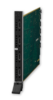 The DGX-I-HDMI is a HDCP compliant HDMI input board for the Enova DGX 8, Enova DGX 16, Enova DGX 32, and Enova DGX 64. It has four connections and supports HDMI with embedded audio, DisplayPort++ o...
-
Product: 2DGX-I-DVI (Discontinued)
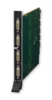 The DGX-I-DVI is an HDCP compliant DVI input board for the Enova DGX 8, Enova DGX 16, Enova DGX 32, and Enova DGX 64. It has four DVI connections per board and supports HDMI, DisplayPort++ or DVI s...
-
Product: 3
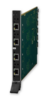 The DGX-I-DXL-4K is a 4K and Ultra High Definition (UHD) capable and HDCP compliant twisted pair cable input board for the Enova DGX 800, Enova DGX 1600, Enova DGX 3200, and Enova DGX 6400 Digital ...
-
Product: 4
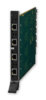 The DGX-I-DXL is a HDCP compliant twisted pair cable input board for the Enova DGX 8, 16, 32 and 64 Digital Media Enclosures. It has four connections per board designed to receive audio and video f...
-
Product: 5DGX-I-DXF-MMD (Discontinued)
 The DGX-I-DXF-MMD is a DXLink Fiber input board with field serviceable SFP modules designed for use with multimode fiber, and is compatible with the Enova DGX 8, 16, 32 and 64 Digital Media Switche...
-
Product: 6
 The DGX-I-DXF-MMS is a DXLink Fiber input board with field serviceable SFP modules designed for use with multimode fiber, and is compatible with the Enova DGX 8, 16, 32 and 64 Digital Media Switche...
-
Product: 7DGX-I-DXF-SMD (Discontinued)
 The DGX-I-DXF-SMD is a DXLink Fiber input board with field serviceable SFP modules designed for use with single mode fiber, and is compatible with the Enova DGX 8, 16, 32 and 64 Digital Media Switc...
-
Product: 8DGX-I-DXF-SMS (Discontinued)
 The DGX-I-DXF-SMS is a DXLink Fiber input board with field serviceable SFP modules designed for use with single mode fiber, and is compatible with the Enova DGX 8, 16, 32 and 64 Digital Media Switc...
-
Product: 9
 The DGX-I-HDMI-4K is a 4K and Ultra High Definition (UHD) capable and HDCP compliant HDMI input board for the Enova DGX 800, Enova DGX 1600, Enova DGX 3200, and Enova DGX 6400. It has four connecti...
-
Product: 10
 The DGX-I-HDMI-4K60 is a 4K60 4:4:4 input board for the Enova DGX 800, Enova DGX 1600, Enova DGX 3200, and Enova DGX 6400. The board is Ultra High Definition (UHD) capable and HDCP 2.2 compliant, w...