Search Results
27 results found, showing 1 - 10 for: i Schedule
-
Product: 1
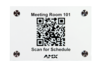 Finding the right meeting space at the right time in a large facility is always a challenge. How do I know if a particular space is taken and when it is available? The RMS Quick Response Scheduling...
-
News: 2
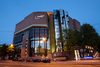 Complete HARMAN mixing solution offers exceptional speed, ease of use and seamless integration for a wide range of productions at one of Europe’s busiest cultural centers
MUNICH, Germany—The Gaste...
Complete HARMAN mixing solution offers exceptional speed, ease of use and seamless integration for a wide range of productions at one of Europe’s busiest cultural centers
MUNICH, Germany—The Gaste...
-
Software: 3Release Notes-------------------------------------------------------------------------------AMX Acendo Book 7"/10" Scheduling Panelsand AMX RoomBook 7"/10" Scheduling Panels FG#: FG2265-37, FG2265...
-
News: 4
 NORTHRIDGE, California – HARMAN Professional Solutions announced today, the debut of CloudworX Manager, the first application from its leading-edge, cloud-based CloudworX Software. The CloudworX pl...
-
Software: 5Release Notes============= RMS Enterprise Scheduling Interface for Google Calendar Current Version: 1.0.20Release Date: March 2020 Prerequisites------------- -- RMS Enterprise Server version 4....
-
News: 6
 NORTHAMPTON, England—The University of Northampton has deployed a network of interconnected HARMAN Professional AV solutions to facilitate a cutting-edge collaborative learning environment at their...
-
News: 7
 ATLANTA—To create the optimal guest experience at the recently opened Bellyard Hotel, Basesix Systems outfitted the venue with JBL Professional loudspeakers and AMX networked AV systems to deliver ...
-
Product: 8
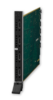 The DGX-I-HDMI is a HDCP compliant HDMI input board for the Enova DGX 8, Enova DGX 16, Enova DGX 32, and Enova DGX 64. It has four connections and supports HDMI with embedded audio, DisplayPort++ o...
-
Product: 9DGX-I-DVI (Discontinued)
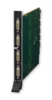 The DGX-I-DVI is an HDCP compliant DVI input board for the Enova DGX 8, Enova DGX 16, Enova DGX 32, and Enova DGX 64. It has four DVI connections per board and supports HDMI, DisplayPort++ or DVI s...
-
Product: 10
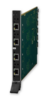 The DGX-I-DXL-4K is a 4K and Ultra High Definition (UHD) capable and HDCP compliant twisted pair cable input board for the Enova DGX 800, Enova DGX 1600, Enova DGX 3200, and Enova DGX 6400 Digital ...