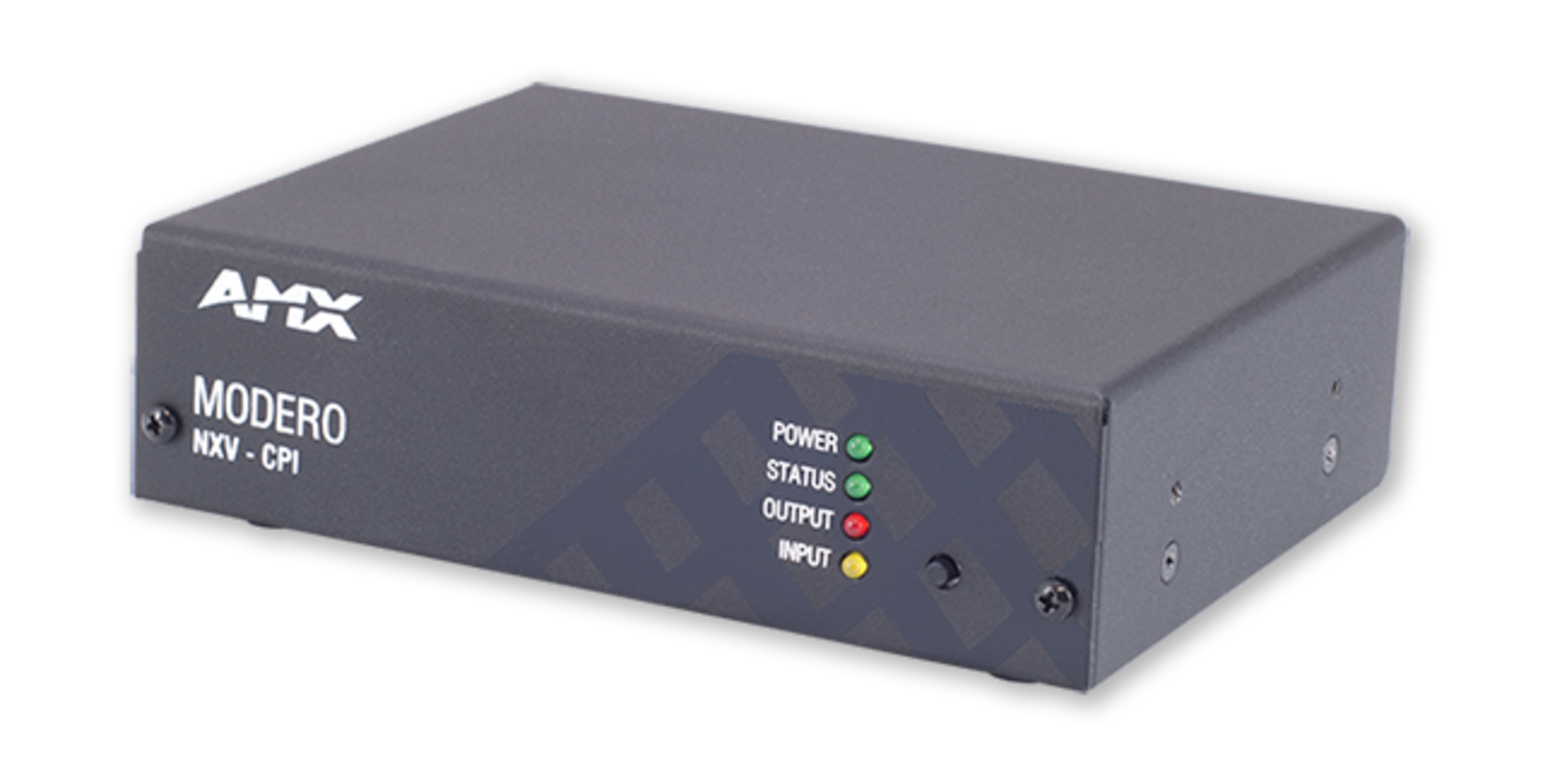


The NXV-CPI is the ideal solution for organizations that have already invested in Cisco® IP Phones that would like to add basic control to a room. The NXV-CPI allows Cisco Phone users to minimize their investment in new infrastructure by transforming Cisco Phones into Modero® Virtual Touch Panels. Using the phone's built-in touch screen, users can access and control lights, shades and other AV equipment in the room. Dealers can use the NXV-CPI as a cost-effective entry point to control. As control requirements grow, users can easily upgrade to an AMX Touch Panel. Setting up the system is easy. Simply browse to NXV-CPI's Web page, label the buttons and add the related NetLinx® control commands. NXV-CPI is compatible with Cisco models 7965G and 7975G.
Larger Images
Replacement Products
-
PS-POE-AF-TC
PoE Injector, 802.3AF Compliant
Common Applications
The NXV-CPI is ideal for entry level conference rooms who have already invested in Cisco IP phones that want to integrate AMX control into the room.
Downloads
Documents
| Size | |
 Data Sheet
updated: Apr 2026
|
320 KB |
Manuals
| Size | |
|
|
1.5 MB |
Firmware
| Size | |
|
|
8.29 MB |

Quick Start Guides
| Size | |
|
|
608 KB |
Safety Sheets
| Size | |
| 3.51 MB |
Certifications
| Size | |
|
|
227 KB |
|
|
255 KB |
A&E (Architectural & Engineering) Specifications
| Size | |
|
|
50 KB |
If any of the links above result in strange characters in your browser, please right-click the file to save it to your computer.
Features
- Transform Cisco IP Phones into Modero Virtual Touch Panels – Gain access and control of the AMX system using the phone's built-in touch screen
- Cost-Effective Control from an IP Phone – Control lights, shades and AV equipment right from two fully integrated phones.
- Control any Room 4 Ways – Touch the screen, push the hard buttons, use the soft keys, or the numeric keypad.
- Power over Ethernet – Reduces installation costs and removes the need for a local power supply
Specifications
| Dimensions (HWD) | With feet: 1 11/16" x 5 9/16" x 4 1/8" (4.2 cm x 14.1 cm x 10.4 cm), Without feet: 1 1/2" x 5 9/16" x 4 1/8" (3.9 cm x 14.1 cm x 10.4 cm) |
| Weight | 1.45 lbs (0.65 kg) |
| Power Over Ethernet (PoE) | No local Power Supply needed |
| Memory | 64 Mbytes of RAM, 256 Mbytes of FLASH |
| Rear Panel Components | LAN Port, LEDs: SPD (speed), L/A (link/activity). See Data Sheet for details. |
| FG Numbers | FG2263-03 |


 Consultant Support
NOTE: The most current and complete specifications for this product are found in the data sheet. Specifications are subject to change.