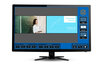
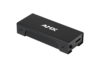
TPI-PRO

Total Presentation Interface

Description
TPI-PRO-2, 2 Multi-Format Inputs
Part #FG2275-102

TRAINING AVAILABLE
Learn important installation, configuration and programming techniques in the following course(s) from AMX University:

  • Getting Started with TPI-PRO (Online)
  • TPI-PRO Setup and Configuration (Online)

For schedules and registration for these and any AMX University courses, visit www.amx.com/training.

D-Tools Certified Product

This product can be found in the D-Tools manufacturer product database and specified as a third party device when building and proposing a system using D-Tools System Integrator software. D-Tools data includes attributes that make it easier to sell, design, and install systems including: overview, specifications, images, product documentation and more. AMX is a member of the D-Tools Manufacturer Vantage Point (MVP) program designed to provide D-Tools customers the most up-to-date product information.

OVERVIEW
The Total Presentation Interface (TPI-PRO) gives users the ability to deliver multiple video and RGB sources to a display simultaneously and then control and manage them via a connected third-party touch screen or through send commands on the NetLinx Controller. Live notes and annotation can be overlaid and the combined image can be output in real time to video displays and projectors.

COMMON APPLICATION
TPI-PRO simplifies source selection and control in class rooms, court rooms and conference rooms by simultaneously displaying two or four sources for users to select and control.

FEATURES

  • Available in 2 or 4 video/RGB inputs (both versions have 2 video/RGB outputs)
  • Up to 4 video or RGB windows can be simultaneously displayed and controlled
  • Inputs can be scaled to fit into independent windows or viewed full-screen
  • USB wired and wireless mouse pass-through allows the presenter to view and control up to four computers from one display
  • Slim, one rack height for easy rack or flush mounting on a table or podium

SPECIFICATIONS

DIMENSIONS (HWD)

  • 1 3/4" x 17" x 10 1/2" (4.4 cm x 43.2 cm x 26.8 cm)
  • RU: 1

WEIGHT
8.25 lbs (3.74 kg)

POWER
Constant current draw: 2.6 A @ 12 VDC

MEMORY

  • 256 MB SDRAM
  • 256 MB disk memory

INPUT FORMAT

  • Composite, S-Video, Component, RGB
  • 640 x 480 @ 60 Hz up to 1920 x 1200 @ 60 Hz

OUTPUT FORMAT

  • VGA
  • Up to 1920 x 1080 @ 60 Hz

FRONT COMPONENTS

  • Touch Input connector communicates with the touch monitor
  • 2 USB ports (for keyboard and mouse control)
  • LED Indicators - PWR, NetLinx Master status, and 4 yellow LEDs for each source input (TPI-PRO-4 only)
  • LED Indicators - PWR, NetLinx Master status, and 2 yellow LEDs for each source input (TPI-PRO-2 only)
  • Pushbuttons - RESOLUTION, TOUCH, CALIBRATE, and SETUP

REAR CONNECTORS

  • HD-15 connectors - 4 input sources (TPI-PRO-4 only)
  • HD-15 connectors - 2 input sources (TPI-PRO-2 only)
  • 4 USB Type-B ports for source mouse/keyboard control (TPI-PRO-4 only)
  • 2 USB Type-B ports for source mouse/keyboard control (TPI-PRO-2 only)
  • Touch Input connectors: RS-232 (DB9) 9-pin serial port and 2-USB Type-A (Host ports - can be used for keyboard and mouse control)
  • 2 HD-15 VGA Output connectors to send out a maximum resolution of 1920 x 1200 @ 60 Hz
  • 1 RJ-45 Ethernet port for network control
  • Audio connector for use with a 3.5 mm mini-jack

ENCLOSURE
Metal with black matte finish

CERTIFICATIONS
FCC Part Class B, CE, and IEC 60950

ENVIRONMENTAL
Heat Dissipation Typical: 106.6 BTU/hr

INCLUDED ACESSORIES

  • 2-pin PWR connector (41-5025)
  • Assembly Kit (Four- #10-32 screws and Four-#10 washers) (KA0001)
  • TPI-PRO Quick Start Guide (93-2275-101)
  • Rack Ear brackets (Left/Right) for shelf, wall, and under-table mounting (60-0900-03)


(Click here for larger PDF image)

Learn important installation, configuration and programming techniques in the following course(s) from AMX University:

  • Getting Started with TPI-PRO (Online)
  • TPI-PRO Setup and Configuration (Online)

For schedules and registration for these and any AMX University courses, visit www.amx.com/training.

NAME DESCRIPTION PART #
CC-HD15M-RCAM3 HD-15 to 3x Male RCA Connectors (FG10-2170-03)
CC-HD15M-HD15M HD-15 Male to HD-15 Male Connector (FG10-2170-01)
CC-HD15M-SVIDM HD-15 Male to S-Video Male Connector (FG10-2170-04)