MD-702
단종됨

7" Modero G5 벽면 장착형 터치 패널

더 큰 이미지

대체 제품

  • VARIA-80

    VARIA-80

    8" 전문가급 퍼소나 정의 터치 패널
  • VARIA-SL80

    VARIA-SL80

    8" 초슬림 벽면 장착형 전문가급 Persona 정의 터치 패널

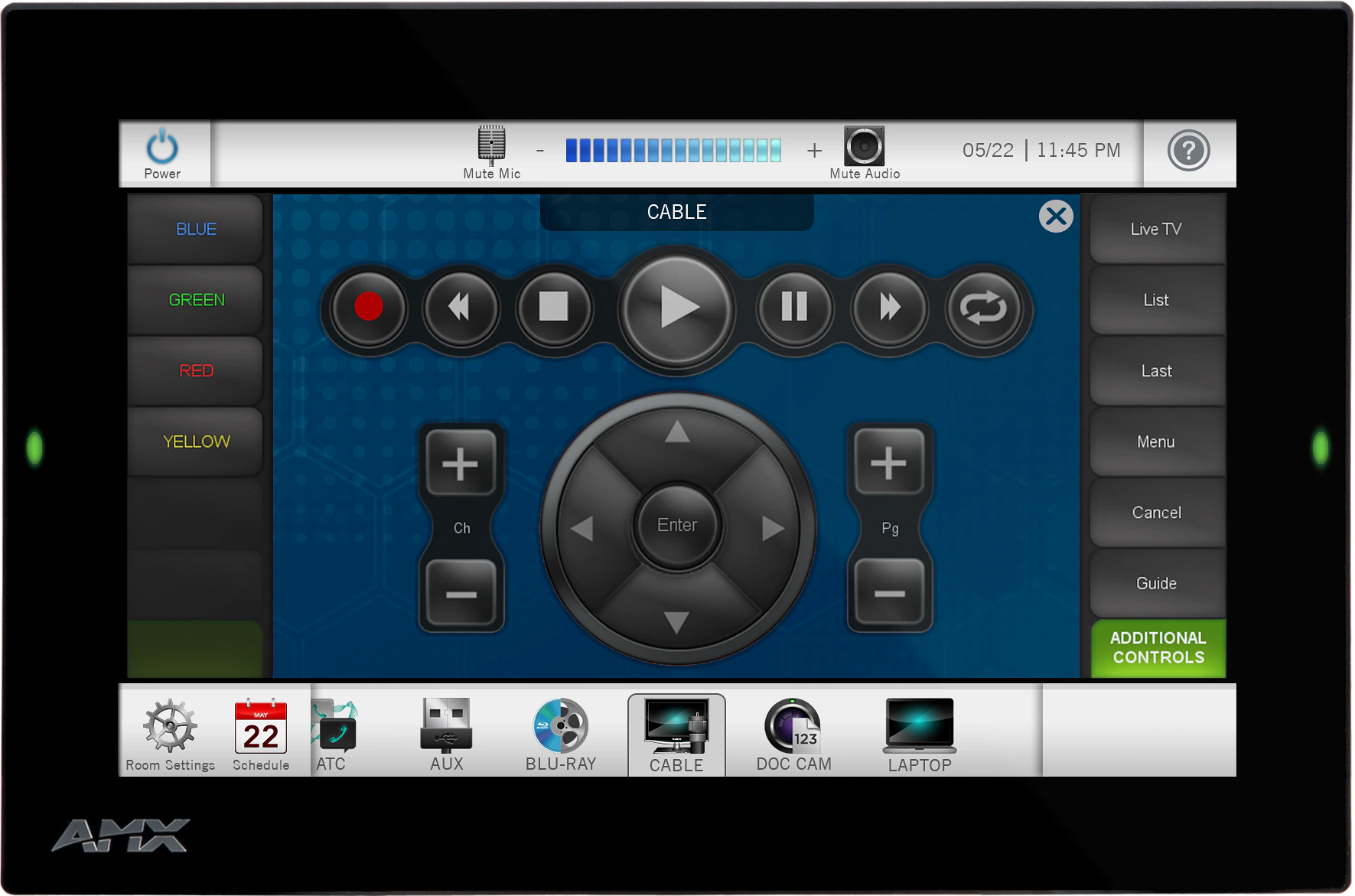
재설계된 Modero G5 7" 벽면 장착형 터치 패널은 모든 공간에서 사용하기에 충분히 합리적인 가격의 프리미엄 사용자 인터페이스입니다. 전용 룸 제어 또는 스케줄링을 위해 설계된 이 우아한 스타일의 터치 패널은 빠르고 부드러운 애니메이션 및 전환 효과를 제공하며, 쿼드 코어 프로세서가 현재와 미래의 가장 까다로운 애플리케이션을 실행하기에 충분한 처리 능력을 제공합니다. Modero G5는 내장 웹 브라우저와 문서 뷰어를 포함하여 회의나 강의 중 실시간 정보에 접근할 수 있도록 지원합니다.

Modero G5는 사용성을 위해 제작되었으며, 멀티 터치 기능을 갖춘 엣지 투 엣지 정전식 터치 글라스를 제공합니다. 다양한 장착 옵션으로 보안과 편의성을 더하며, 가장 세련된 회의 시설과 가정에도 어울리는 독특한 외관을 자랑합니다.

  • THE FACE OF INDUSTRY-LEADING SECURITY

    Facilities around the world place their trust in the industry-leading security of AMX control systems. Modero G5 panels allow users to securely control their devices and environment via a single, streamlined interface.

  • SINGLE POINT OF CONTROL

    A control panel integrates all the functionality you need into a single point of control. Manage meeting spaces, classrooms, briefing rooms, auditoriums and more with intuitive user selections that get complicated technology interactions out of the way.

  • SIMPLIFY STARTING THE MEETING

    Automation lets you combine all of the actions at the start of a meeting into a single button press. Simply press "ON" and the lights come on, the display powers up and switches to the correct input and your meeting is ready to begin.
  • QUICK ROOM SCHEDULING

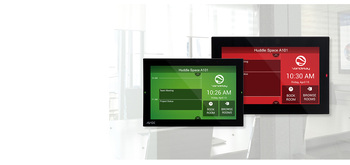
    Modero G5 wall-mount panels can be configured to run the Acendo Book interface, providing the option to deploy them as dedicated scheduling panels. These panels include capacitive touch glass, large side LEDs, and our popular Acendo Book functionality.

featured content

THE FACE OF INDUSTRY-LEADING SECURITY

Facilities around the world place their trust in the industry-leading security of AMX control systems. Modero G5 panels allow users to securely control their devices and environment via a single, streamlined interface.

featured content

SINGLE POINT OF CONTROL

A control panel integrates all the functionality you need into a single point of control. Manage meeting spaces, classrooms, briefing rooms, auditoriums and more with intuitive user selections that get complicated technology interactions out of the way.

featured content

SIMPLIFY STARTING THE MEETING

Automation lets you combine all of the actions at the start of a meeting into a single button press. Simply press "ON" and the lights come on, the display powers up and switches to the correct input and your meeting is ready to begin.

featured content

QUICK ROOM SCHEDULING

Modero G5 wall-mount panels can be configured to run the Acendo Book interface, providing the option to deploy them as dedicated scheduling panels. These panels include capacitive touch glass, large side LEDs, and our popular Acendo Book functionality.

상세 정보

  • Modero G5 is ideal for boardrooms, conference rooms or auditoriums where a premium control surface is needed to provide access to multiple functions simultaneously while remaining elegantly unobtrusive.
  • In Higher Education, Modero G5 is ideal for lecture halls, auditoriums, performing arts theaters and boardrooms that require extensive control capabilities.
  • In residences, it is perfect for kitchens, bedrooms or home offices where it can be used to manage systems throughout the home.
  • The MD-702 can be used as a scheduling panel for meeting rooms and auditoriums.
  • All Modero panels are ideal for reception areas or other gathering places where master calendars can be displayed along with streamed information from the web like weather and stock quotes.

다운로드

CAD Drawings
  크기 업로드됨
file type icon MD-702 - Pictorial Drawing (PDF)
업데이트됨: 2019년 9월월
97.4KB 2019년 9월월
file type icon Pictorial Drawing - MD-702 (DXF)
업데이트됨: 2019년 3월월
1.83MB 2019년 3월월
file type icon Pictorial Drawing - MD-702 (DWG)
업데이트됨: 2019년 3월월
400KB 2019년 3월월
BIM Objects
  크기 업로드됨
file type icon MD-702 - BIM Object
업데이트됨: 2019년 8월월
2019년 8월월
Firmware
  버전 크기 업로드됨
download icon for Modero G5 (MD & MT) Touch Panel Firmware Modero G5 (MD & MT) Touch Panel Firmware
버전 1.8.55, 출시: 2022년 10월월
1.8.55   276MB 2022년 10월월
Data Sheets
  크기 업로드됨
file type icon MD-702 - Data Sheet
업데이트됨: 2019년 9월월
442KB 2019년 9월월
Quick Start Guides
  크기 업로드됨
file type icon MD-702 - Quick Start Guide
업데이트됨: 2019년 9월월
764KB 2019년 9월월
Certifications
  크기 업로드됨
file type icon MD-702-BL CE Declaration of Conformity
업데이트됨: 2020년 10월월
613KB 2020년 10월월
24KB 2020년 10월월
file type icon MD-702-BL IECEE CB Test Certificate 62368
업데이트됨: 2020년 10월월
175KB 2020년 10월월

위의 링크 중 하나에서 브라우저에 이상한 문자가 표시되면, 파일을 마우스 오른쪽 버튼으로 클릭하여 컴퓨터에 저장하십시오.

기능

  • Flexible – Transform a Modero G5 control interface into an Acendo Book scheduling panel using a built-in configuration tool – no programming or additional hardware required
  • G5 Graphics Engine and Quad-Core Processing – The most powerful processing in the industry delivers smooth gesturing, swiping, dynamic reordering, enhanced animation with transitions all at higher speeds for an experience any user will enjoy
  • Capacitive Touch Screen – A fast and flawless touch screen that enhances screen durability, smudge and scratch resistance
  • Simplified Enterprise Touch Panel and Firmware Updates – Deploy and update touch panel files and firmware files from a network URL for simplified company-wide updates
  • Built-in Web Browser, Document Viewers and Enzo Sharing – Conveniently simplifies accessing and presenting real-time content and documents during meetings. Simply preview files accessed via the native web browser, USB, or cloud storage apps before sending content directly to Enzo
  • Adjustable Security Modes – With the ability to select from high security or custom modes, administrators can customize the panel’s security levels for access, networking and communication
  • Perfect from Any Angle – Includes In-Plane Switching (IPS), which delivers the widest viewing angles and the most accurate color reproduction on the market
  • Enhanced User Experience – Modero features intuitive UI functionality including: gesturing, swiping, dynamic reordering and enhanced animation capabilities
  • Generous Mounting Options –Choose from a variety of mounting options to fit the needs of any installation
  • View and Select Dynamic Data with Listview Buttons – Display a listing of entries generated by a dynamic data source (e.g. phonebook contacts, call logs, RSS feed or other real time data sources) enabling the user to scroll or search to make a selection

사양

Display Size (WH) Landscape 7.3" x 4.8" (186 mm x 122 mm), 8.8" (222 mm) diagonal
Viewable Area (WH) Landscape 6.05" x 3.54" (154 mm x 90 mm), 7.0" (178 mm) diagonal
Resolution

1280x800

Touch Overlay Capacitive
FG Numbers FG5969-55BL
JITC Status Approved - 04/2023
HARMAN Professional Solutions:

MD-702
단종됨

7" Modero G5 벽면 장착형 터치 패널


JITC