
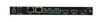
NMX-ENC-N2135A-C Encoder Card
단종됨

JPEG 2000 1080p 저지연 IP 비디오 인코더(KVM, PoE, SFP, HDMI, AES67 지원, 카드)

AMX_color_RGB

대체 제품

  • NMX-ENC-N2612S-C

    NMX-ENC-N2612S-C

    4K60 MWC/Dante AV-A & 1080p H.26x Multi-Codec, Dual-Stream Encoder Card

SVSI JPEG2000 NMX-ENC-N2135A-C 및 NMX-DEC-N2235A-C 인코더 및 디코더 솔루션은 컨버지드 네트워크를 통한 AV 분배를 위한 업계 최고의 다목적 솔루션을 사용자에게 제공합니다. JPEG2000 압축은 시스템에서 저지연 시네마급 HD 품질 비디오를 요구하는 사용자들이 선택하는 코덱입니다. SVSI 비디오 오버 IP 인코더는 거의 모든 포맷의 소스를 기존 IP 네트워크에 인코딩하고 배포하여 동축 및/또는 광섬유 연결을 활용하는 시설 내 모든 엔드포인트에서 해당 스트림을 사용할 수 있도록 합니다. SVSI 비디오 오버 IP 디코더는 디스플레이를 위해 네트워크 AV 스트림을 디코딩하는 데 사용됩니다. 임의의 소스 스트림을 임의의 디스플레이로 직접 연결할 수 있는 기능을 통해 대규모 저비용 스위칭 및 분배 시스템을 전용 케이블이나 전용 스위칭 하드웨어 없이 간편하게 구축할 수 있습니다. 사용자가 선택 가능한 대역폭 제어(10Mbps-200Mbps)는 네트워크 부하 및 비디오 품질을 고려한 정밀 조정을 가능하게 합니다.

NMX-ENC-N2135A-C 및 NMX-DEC-N2235A-C는 모두 IP를 통한 키보드 및 마우스 확장 기능을 제공합니다. 사용자는 장치 제어를 위한 보안 옵션을 설정할 수 있습니다. 보안을 해제하여 임의의 디코더가 인코더에 연결된 임의의 컴퓨터에 접속할 수 있도록 허용할 수 있습니다. 예를 들어, 이러한 유형의 보안이 문제가 되지 않고 모든 엔드포인트에 대한 접근이 필요한 콜센터 환경에서 활용됩니다. 보안을 설정하여 지정된 컴퓨터 또는 정의된 컴퓨터 그룹에만 접근을 허용할 수 있습니다. 관제센터와 같은 민감한 환경에서는 이러한 맞춤형 보안의 이점을 활용할 수 있습니다.

SVSI 솔루션은 임의의 수의 입력을 임의의 수의 출력에 연결하여 무제한 크기와 확장성을 갖춘 비디오 매트릭스를 생성할 수 있도록 합니다. 플러그앤플레이 자동 감지 기술은 설치 및 프로그래밍 시간을 단축하며, 모든 SVSI 인코더 및 디코더에는 내장 제어 기능이 포함되어 있습니다.

비디오


다운로드

Manuals
  크기 업로드됨
1.05MB 2020년 10월월
Software
  버전 크기 업로드됨
MacOS download icon SVSI N-Able Mac
버전 5.2.2, 출시: 2025년 4월월
5.2.2   219MB 2025년 4월월
Windows download icon SVSI N-Able PC
버전 5.2.2, 출시: 2025년 4월월
5.2.2   116MB 2025년 4월월
Firmware
  버전 크기 업로드됨
download icon for SVSI N2x35A Encoder and Decoder Firmware Updater SVSI N2x35A Encoder and Decoder Firmware Updater
버전 1.15.18, 출시: 2021년 11월월
1.15.18   44.7MB 2021년 11월월
Product Guides
  버전 크기 업로드됨
file type icon Product Guide - N-Series Minimum Network Requirement
버전 D, 업데이트됨: 2025년 10월월
201KB 2025년 10월월
file type icon N-Series Stream Compatibility
업데이트됨: 2024년 6월월
  431KB 2024년 6월월
file type icon NET-SVSI-MIB.txt
업데이트됨: 2021년 8월월
  94.5KB 2021년 8월월
file type icon Product Guide - N-Series Video Wall/Crop Limitation
업데이트됨: 2020년 10월월
  72.8KB 2020년 10월월
Install Guides
  크기 업로드됨
file type icon SVSI Networked AV - Pre-Implementation Guide
업데이트됨: 2024년 6월월
1.17MB 2024년 6월월
Programming Guides
  버전 크기 업로드됨
file type icon Zoom Room Controls – SVSI Encoder Configuration Example
버전 0.1.5, 업데이트됨: 2021년 9월월
0.1.5  132KB 2021년 9월월
file type icon API Command List - SVSI N1000/N2000 Series
버전 F, 업데이트됨: 2020년 6월월
277KB 2020년 6월월
Quick Start Guides
  크기 업로드됨
328KB 2018년 9월월
339KB 2018년 3월월

위의 링크 중 하나에서 브라우저에 이상한 문자가 표시되면, 파일을 마우스 오른쪽 버튼으로 클릭하여 컴퓨터에 저장하십시오.

기능

  • Design Flexibility – Compatible with all AMX SVSI N2000 series products so designers can choose the right product for each end point
  • Input and Output Scaling – scaling performed in encoders or decoders for maximum flexibility with sources and displays
  • Power Over Ethernet (POE) – eliminates requirement for local power supply and speeds installation. Units can still be powered locally from 12VDC allowing for easy rack-mountable, high-density installations
  • Infrared (IR) – Emitter connection allows control of IR-only display devices
  • Fast Install – With Phoenix connectors for Power, IR, RS232 serial, and analog audio interfaces
  • Balanced and Unbalanced Audio – Embedded 7.1 audio (balanced and unbalanced)
  • Pass-through HDMI – allows easy installation with local display such as desktop PC applications
  • Multiple Connection Options – RJ-45 and SFP network connectors and HDMI video connections
  • KVM – Single USB-B and Dual USB-A control for KVM applications
  • Control Flexibility – Built-in or third-party control

사양

Video
  • Digital Video Input
    • HDMI, DVI-D, Dual-Mode DisplayPort (DP++), RGB/VGA
    • DVI-D and Dual-Mode DisplayPort (DP++) are supported through a passive adapter
  • Analog Video Input
    • HD-15 VGA, Component
    • Component is supported through a passive adapter
  • Video Output
    • Network video over Ethernet via RJ45 port or fiber via 1G SFP port, HDMI, DVI-D
    • DVI-D is supported through a passive adapter
  • Formats: HDMI, DVI-D (through adapter), HDCP content protection support, RGBHV, YPbPr
  • Progressive Input Resolutions
    • Supports most common HD up to 1920x1200.
      • **720x480@59Hz, 640x480@60Hz, **720x480@60Hz, **720x576@50Hz, 800x600@56Hz, 800x600@60Hz, **1280x720@50Hz, **1280x720@59Hz, **1280x720@60Hz, 1360x768@60Hz, 1366x768@60Hz, 1024x768@60Hz, 1280x800@60Hz, 1152x864@60Hz, 1600x900@60Hz, 1440x900@60Hz, 1280x960@60Hz, 1280x1024@60Hz, 1680x1050@60Hz, 1920x1080@23Hz, 1920x1080@24Hz, 1920x1080@25Hz, 1920x1080@29Hz, 1920x1080@30Hz, **1920x1080@50Hz, **1920x1080@59Hz, **1920x1080@60Hz, **1920x1080i@50Hz, **1920x1080i@59Hz, **1920x1080i@60Hz, ***1920x1200 @ 60Hz
  • Interlaced Input Resolutions
    • Supports 1080i60.
  • Analog Input Resolutions
    Input resolutions supported @60Hz refresh rates are also supported @59.94Hz
    • Supports most common HD up to 1920x1200.
      • **720x480@59Hz, 640x480@60Hz, **720x480@60Hz, **720x576@50Hz, 800x600@56Hz, 800x600@60Hz, **1280x720@50Hz, **1280x720@59Hz, **1280x720@60Hz, 1360x768@60Hz, 1366x768@60Hz, 1024x768@60Hz, 1280x800@60Hz, 1152x864@60Hz, 1600x900@60Hz, 1440x900@60Hz, 1280x960@60Hz, 1280x1024@60Hz, 1680x1050@60Hz, 1920x1080@23Hz, 1920x1080@24Hz, 1920x1080@25Hz, 1920x1080@29Hz, 1920x1080@30Hz, **1920x1080@50Hz, **1920x1080@59Hz, **1920x1080@60Hz, **1920x1080i@50Hz, **1920x1080i@59Hz, **1920x1080i@60Hz, ***1920x1200 @ 60Hz
  • Output Resolutions: Matched to inputs
  • Analog-To-Digital Conversion: 8-bit 165 MHz per each of three color channels
    The N2135 Encoder does not accept Composite or SVideo (YC)


**supported in component mode

***reduced blanking only

Audio
  • Input Signal Types: Embedded audio on HDMI (DVI-D through adapter) or Analog Stereo (Balanced or Unbalanced)
  • Output Signal Types
    • Ethernet, Embedded audio on HDMI or DVI-D (through adapter), audio at 48-kHz (standard SVSI audio stream or AES67, user selectable)
    • HDMI output refers to pass-through video on the HDMI OUT port
  • HDMI Audio Formats: 8ch PCM
  • Analog Audio Format: Stereo 2-channel
  • Analog-To-Digital Conversion: 16-bit 32 kHz, 44.1 kHz and 48 kHz


Note: HDMI output refers to pass-through video on the HDMI OUT port.

Latency
  • Video Latency: 50 ms at 60 fps
  • Audio Latency: standard SVSI audio stream = 17 ms (synced to video); AES67 = <1 ms adjustable to 17 ms


Note: This is the combined encode plus decode latency. Total latency from source to screen will also include any network latency.

Note: Scaling adds one frame of latency (17ms at 60fps)

Communications
  • Ethernet
    • PO
      • 10/100/1000 Mbps, auto-negotiating, auto-sensing, full/half duplex, DHCP, Auto IP, and Static IP
    • P1
      • 1 Gbps port which accepts compatible fiber transceivers or direct attach cables (fiber or copper cabling)
  • HDMI: HDCP, EDID management
Ports
  • +12V 2A: One 12 Volt DC power input.
  • P0
    • 8-wire RJ45 female.
    • 10/100/1000 Mbps 10/100/1000Base-T auto-sensing gigabit Ethernet switch port
    • Provides the network connection, network AV video, and power to the Encoders and Decoders
  • P1
    • SFP port (SFP fiber transceiver or direct attach cable not included)
    • Provides the network connection and network AV video
  • IR
    • 2-pin terminal Phoenix connector
    • Provides Infrared (IR) output only (33-60 kHz; typically 39 kHz). Emitter may be necessary (not included)
  • RS232
    • 3-pin terminal Phoenix connector
    • Provides a serial control interface. Full duplex communication. Available terminal speed settings: 9600-115200 baud rate
  • AUDIO
    • 5-pin terminal Phoenix connector
    • Provides user-selectable balanced/unbalanced input. Dedicated audio input
  • HDMI OUT: HDMI video output (passive pass-through from HDMI IN)
  • HDMI IN: HDMI video input
  • VGA IN: DB15 analog input
  • USB connectors (front panel): One USB-B and two USB-A control inputs
Controls and Indicators - Front Panel
  • RESET button
    • Recessed pushbutton
    • Press to initiate a 'warm restart' causing the processor to reset, but not lose power. A reset does NOT affect the current settings.
  • ID button
    • Recessed pushbutton
    • Press to send a notification out on the network to identify the unit (the notification causes a pop-up dialog in N-Able and N-Command).
  • POWER LED
    • On solid (green) when operating power is supplied (via local power supply)
    • This activity is also shown by the PWR LED on the rear panel.
  • STATUS LED
    • On flashing (green) when there is software activity
    • This activity is also shown by the STAT LED on the rear panel.
Controls and Indicators - Rear Panel
  • PWR LED: Same as POWER LED described above
  • HDMI LED: On (green) when there is a connection to a valid display
  • STAT LED: Same as STATUS LED described above
  • STRM LED: On (green) when the unit is streaming video
Environmental
  • Temperature: 32° to 104°F (0° to 40°C)
  • Humidity: 10% to 90% RH (non-condensing)
  • Heat Dissipation: Up to ~44 BTU/hr
General
  • Regulatory Compliance: FCC, CE, and NTRL
  • Recommended Accessories: NMX-ACC-N9206 (FGN9206), 2RU Rack Mount Cage with Power for Six SVSI N-Series Card Units
FG Numbers FGN2135A-CD
HARMAN Professional Solutions:

NMX-ENC-N2135A-C Encoder Card
단종됨

JPEG 2000 1080p 저지연 IP 비디오 인코더(KVM, PoE, SFP, HDMI, AES67 지원, 카드)