마지막 업데이트: 07월 08일
Introduction
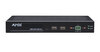
The Q-SYS Plugins for AMX SVSI simplify the integration of AMX SVSI encoders, decoders, and audio transceivers into the QSC Q-SYS control ecosystem.
As the industry pioneer in video over IP, AMX has been delivering AVoIP solutions for well over a decade and can be found in many world-class installations. AMX offers a wide range of solutions for delivering up to 4K60 4:4:4 video, audio, USB, and control over standard gigabit networks. AMX AVoIP solutions are designed to support the latest enterprise network security features and to be configured and managed simply. AMX SVSI AVoIP solutions deliver secure, quality video wherever you need it.
Compatibility
There are three QSC Q-SYS Plugins available:
- Q-SYS Plugin - AMX SVSI Encoders
- Supports: NMX-ENC-N2615D-WP, NMX-ENC-N2612S, NMX-ENC-N2612S-C, NMX-ENC-N3312D, NMX-ENC-N3312D-C, NMX-ENC-N2412A, NMX-ENC-2412A-C
- Q-SYS Plugin - AMX SVSI Decoders
- Supports: NMX-DEC-N2625D-WP, NMX-DEC-N2622S, NMX-DEC-N3322D, NMX-DEC-N2422A, NMX-DEC-N2424A
- Q-SYS Plugin - AMX SVSI Audio Transceivers
- Supports: NMX-ATC-4321D, NMX-ATC-N4321D-C, NMX-ATC-N4321A
Additional information about the supported AMX SVSI encoders, decoders, and audio transceivers can be found on the AMX website.
- N3300 Series Encoders and Decoders
- N2600 Series Encoders and Decoders
- N2400 Series Encoders and Decoders
- N4321 Audio Transceivers
Setup
Prerequisites
Before configuring the plugin:
- Ensure the device is connected to a network and have a valid IP address in a subnet which the Q-SYS core can communicate with.
- Ensure the IP Address will not change. Static or MAC reserve your device on the network.
Configuration Overview
- Drag the plugin into your schematic.
- Select the plugin and configure the properties. See properties below.
- Press F5 to save your design to the Core and run it. (Or press F6 to emulate your design.)
- In your schematic, double-click the plugin to open the component's control panel.
- In the Connection page, enter the device's IP Address, port, and setup polling.
- Upon successful connection, the Connection status should show "OK" and device information populated.
FAQ
How are the devices controlled?
The encoders, decoders, and transceivers are controlled via IP.
I want to try this driver out before buying it?
This is a manufacturer sponsored driver and is free of charge.
Change Log
Version #: 1.4 – 2024-07-01
- Production Release
 다운로드
다운로드