마지막 업데이트: 10월 07일
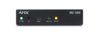
Product Name: MU-1000, MU-1300, MU-2300, MU-3300
FG#: AMX-CCC000, AMX-CCC013, AMX-CCC023, AMX-CCC033
Current Firmware Version: 1.2.65
Release Date: October 7, 2024
Software Dependencies
The following software must be upgraded to use MUSE firmware 1.265:
- MUSE Automator 1.1.12
- MUSE Extension for VS Code 1.4.7
- AVX Manager 1.03.205
The following firmware must be upgraded to use MUSE firmware 1.2.65:
- CE Control Extenders: 1.2.7
- Varia Touch Panels 1.11.42
Programming Information
- Install .SWU file thru MUSE web interface, upgrade via Manager software, or use USB drive
New Features in this release
- Python Upgrade to version 3.10; https://docs.python.org/3/whatsnew/3.10.html
- Added support for LDAP integration
- Added MUSE Controller-to-Controller support, which allows a MUSE to control a device attached to a second MUSE
- Added Scripts as Devices support, which allows scripts to expose an API to the MUSE control environment for access and interaction by other scripts or controllers
- Added Auth Session Service, which enables scripts to allow basic login credential validation against the current user database
- Added Python PIP installation through requirements.txt file, which allows for third-party Python module support
- Added Platform Service, which allows querying for information like FW version, serial number, etc.
- Added I/O Manager Support for CE-COM2 devices for use in Duet Modules
- Added ICSLan DNS lookup support, which allows IP network device name resolution for devices on the ICSLan network
- Added Security Banner Support for
- Added NetLinx Device Client driver, which supports full range of NetLinx control constructs (multiple ports, channels, levels, strings, commands, custom event generation)
Bug Fixes in this release
- Resolved: Node-RED users are able to control devices while not having valid permissions
- Resolved: Varia panels showing false port out of range in logs
- Resolved: Varia panels showing offline when connected
- Resolved: Varia panels not discovered by TPD5 after a reboot
- Resolved: Log Levels not showing selected level
- Resolved: Log showing passwords in clear text
- Resolved: Cannot use NTP with SHA1 authentication
- Resolved: https connection reverting to http
- Resolved: VSC displaying controllers OFFLINE that are not logged into
- Resolved: Changing DHCP mode not working
- Resolved: No way to enable/disable programs via CLI
- Resolved: Disabling the Programming Access still allows connection to Automator
- Resolved: After a reboot, some programs can report "crashed"
- Resolved: After a reboot, DISABLED scripts are removed from program:status
- Resolved: Unable to start Node-RED on controller
- Resolved: Refresh Mojo Controller resets the controller connection
- Resolved: User with permissions unable to log into web
Known Issues
- NTP cannot be set via Manager/HControl; must use CLI instead
- HControl name cannot be set via web; use Manager software instead
- HControl list of devices is not alphabetized
- Repositories added in the web interface cannot be removed
Other
- USB drives support FAT32 file system
 다운로드
다운로드