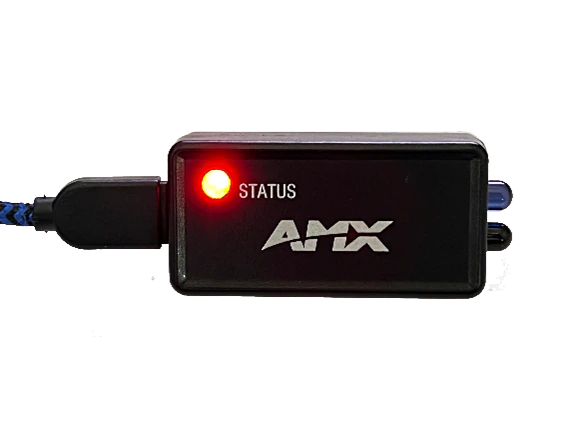
The IRIS2 USB IR Remote Capture Device enables the IREDIT2 application to capture the IR control codes used by consumer and professional devices. This allows AMX Control Systems to use this ubiquitous control method to automate device control, simplifying the experience for the end user.
Größere Bilder
Mehr Details
The AMX IRIS2 USB IR Capture Box is ideal for creating AMX .irl files for use in AMX control systems. These .irl files are used by AMX IR ports to control devices by emulating the original IR hand control.
Downloads
Data Sheets
| Größe | |
|
|
227 KB |

 aktualisiert: Jul 2023
Falls einer der obigen Links zu seltsamen Zeichen in Ihrem Browser führt, klicken Sie bitte mit der rechten Maustaste auf die Datei, um sie auf Ihrem Computer zu speichern.
Eigenschaften
- Kompakte Bauform – Das IRIS2 ist bemerkenswert klein und wiegt nur 12 Gramm
- USB-Stromversorgung – Ein einzelner USB-C-Anschluss stellt Daten und Stromversorgung bereit
- Nahtlos integriert – Die IREDIT2-Anwendung erkennt das IRIS2 automatisch
- IR-Übertragung – Überprüfen Sie die erfassten IR-Steuercodes mit dem integrierten IR TX
- Aussagekräftige Status-LED – Eine mehrfarbige LED bietet Echtzeit-Status für das IRIS2
Spezifikationen
| Ports | (USB) USB Type C device port |
| Product Dimensions (H x W x D) | 1" x 2" x 1/2" (2.5 cm x 5.1 cm x 1.2 cm) |
| Product Weight | 0.03 lb (12 g) |
| SKU Numbers | AMX-CAC0002 |
Zubehör
IREdit2 | Infrarot-Steuersignalerfassungssoftware
Größere Bilder

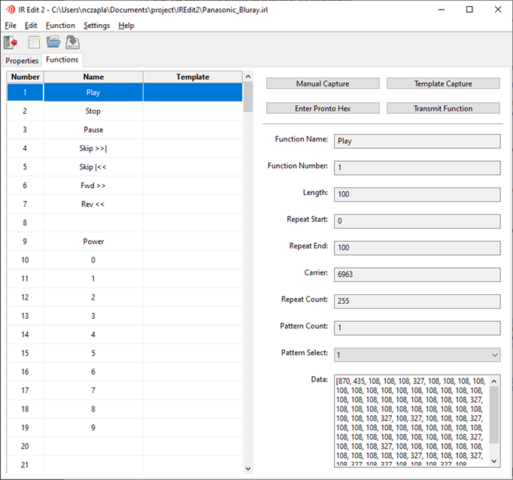
Das Programm IREdit2 funktioniert mit dem IRIS2 USB IR Capture-Gerät, um AMX .irl-Dateien zur Verwendung in AMX-Steuersystemen zu erstellen. Diese .irl-Dateien werden von AMX IR-Anschlüssen verwendet, um Geräte zu steuern, indem die ursprüngliche IR-Handsteuerung emuliert wird. Die .irl-Dateien werden normalerweise zusammen mit anderen wichtigen Dateien des Steuersystems verpackt, die für die Implementierung einer Steuersystemlösung erforderlich sind.
- IRIS2 Auto-Discovery – IREdit2 will auto-detect the correct port when an IRIS2 is connected
- Manual and Template IR Capture – Template mode speeds IRL creation by guiding the user through the capture process with SNAPI-standard templates
- Pronto Raw Hex Code Support – Enter Pronto Raw Hex Codes can be entered and converted
- Direct IRIS2 IR Transmission – Verify IR codes without an AMX control system by transmitting them directly from the IRIS2


 Beratersupport
 Ebenfalls erhältlich bei