Manager

Logiciel de gestion pour appareils HARMAN Pro avec HControl

Grandes images

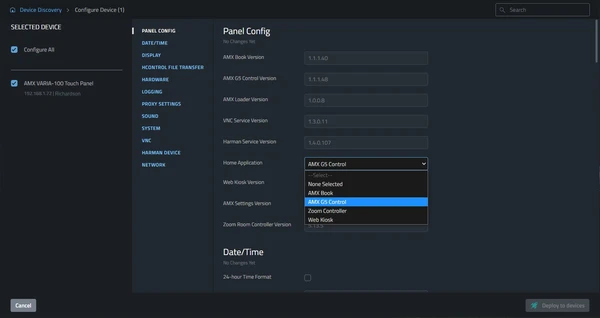
Manager is a free application which brings incredibly powerful management to HARMAN Professional devices with HControl. Instead of configuring devices one-by-one, Manager allows large numbers of devices to be configured simultaneously, either locally or remotely.
  • CONFIGURATION EN MASSE.

    DÉPLOIEMENT EN MASSE.

    RENDU MASSIVEMENT SIMPLE.

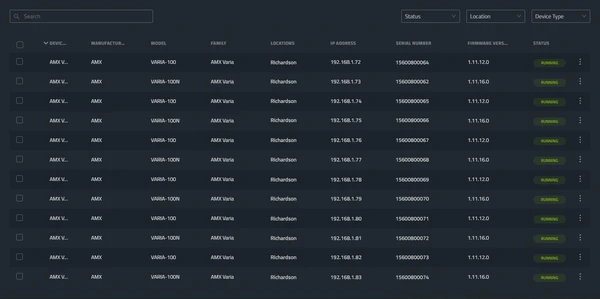
  • Device Auto-Discovery

    Compatible HARMAN devices on the network are automatically discovered and added to Manager for at-a-glance status monitoring and access to configuration.

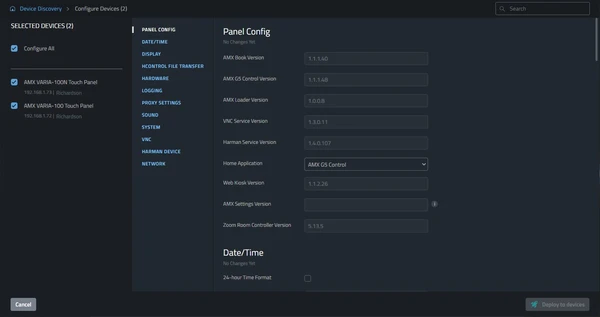
  • Settings Configuration

    Individual devices, entire installations, or any size device group can be configured simultaneously. Cutting deployment time and reducing opportunities for error.

  • Firmware Updates

    Deploy firmware updates to all or any devices without the need for device specific software.

CONFIGURATION EN MASSE.

DÉPLOIEMENT EN MASSE.

RENDU MASSIVEMENT SIMPLE.

Device Auto-Discovery

Compatible HARMAN devices on the network are automatically discovered and added to Manager for at-a-glance status monitoring and access to configuration.

Settings Configuration

Individual devices, entire installations, or any size device group can be configured simultaneously. Cutting deployment time and reducing opportunities for error.

Firmware Updates

Deploy firmware updates to all or any devices without the need for device specific software.

Téléchargements

Manuals
  Version Langue Taille Téléchargé
file type icon User Guide - Manager
en version 1.1, mis à jour : juil. 2023
1.1  en  584 ko juil. 2023
Software
  Version Taille Téléchargé
download icon for Manager Desktop Manager Desktop
version 1.03.0.205, publié : août 2024
1.03.0.205   240 Mo août 2024

Si l'un des liens ci-dessus affiche des caractères étranges dans votre navigateur, faites un clic droit sur le fichier pour l'enregistrer sur votre ordinateur.

Caractéristiques

  • Device Auto-Discovery – Compatible HARMAN devices are automatically discovered on the network
  • Settings Configuration – Configure device settings for any number of devices simultaneously
  • Firmware Updates – Deploy firmware updates to all or any devices on the network
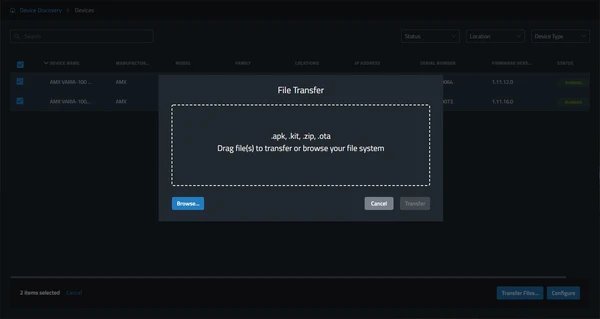
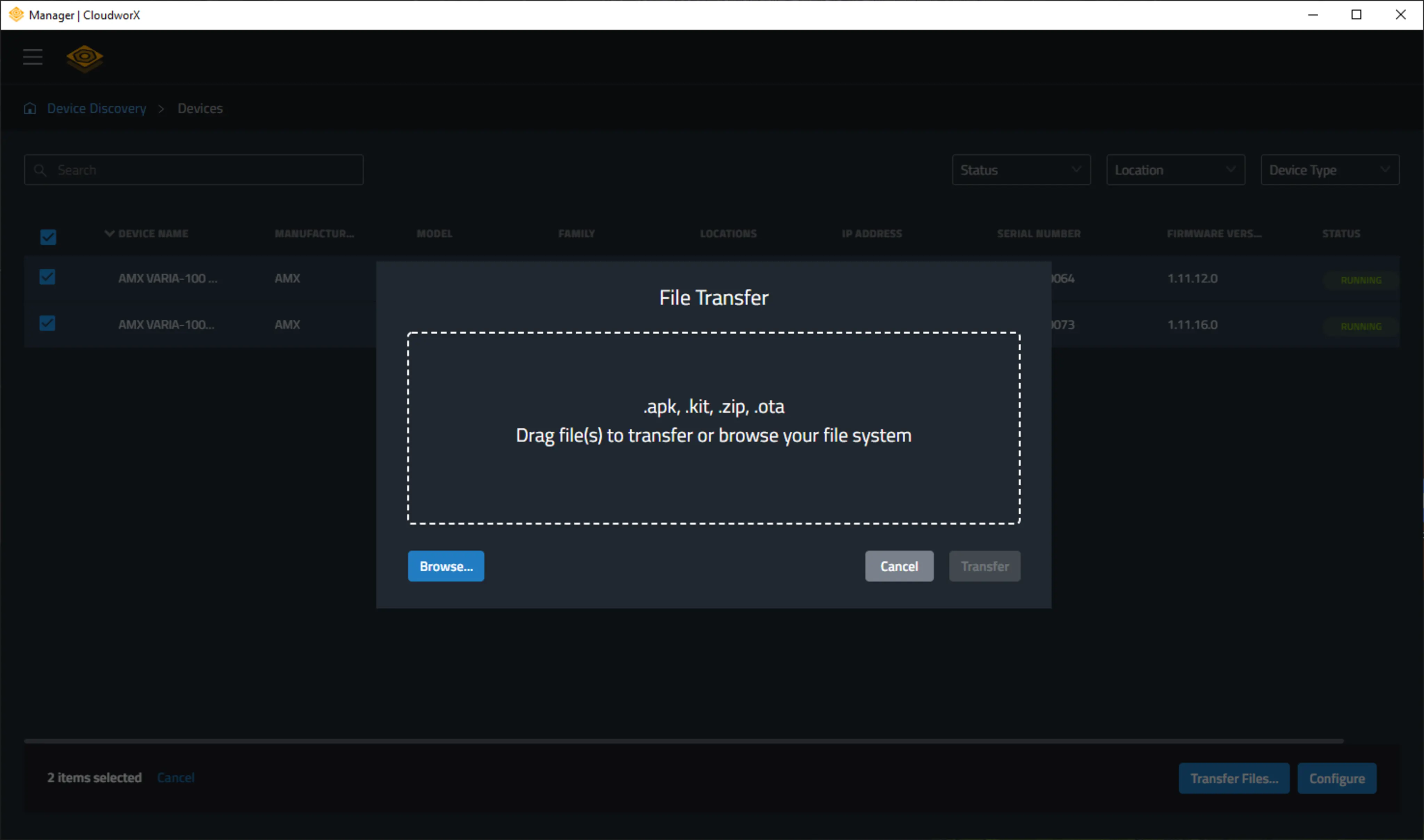
  • File Transfer – Transfer files to devices

Caractéristiques techniques

Supported Devices

AMX VARIA Touch Panels
AMX CE Series Control Extenders
AMX MU Series Automation Controllers
AMX SVSI N2600 Series Encoders and Decoders
AMX SVSI N3300 Series Encoders and Decoders

HARMAN Pro Insights