Manager

ซอฟต์แวร์จัดการสำหรับอุปกรณ์ HARMAN Pro พร้อม HControl

Manager_Logo_Black
รูปภาพขนาดใหญ่

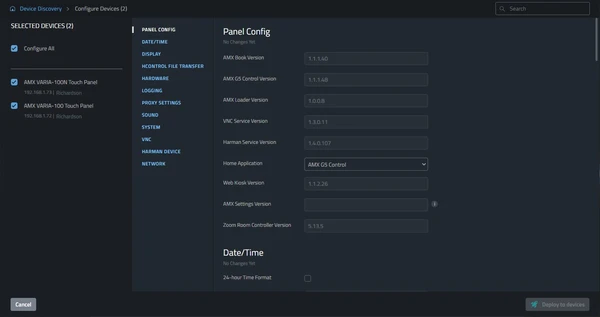
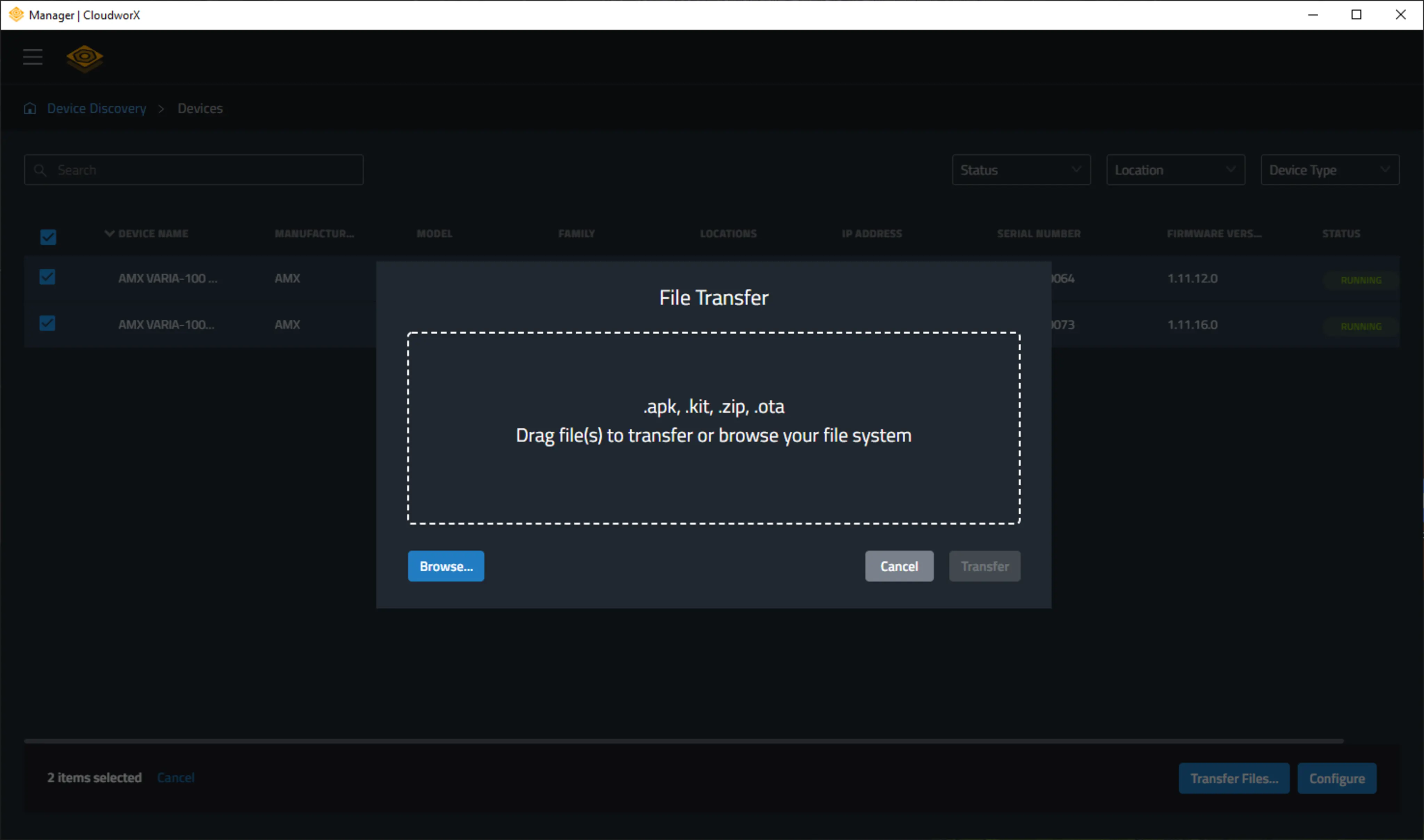
Manager เป็นแอปพลิเคชันฟรีที่นำความสามารถในการจัดการที่มีประสิทธิภาพอย่างยิ่งมาสู่อุปกรณ์ HARMAN Professional ด้วย HControl แทนที่จะต้องกำหนดค่าอุปกรณ์ทีละเครื่อง Manager อนุญาตให้กำหนดค่าอุปกรณ์จำนวนมากได้พร้อมกัน ทั้งในสภาพแวดล้อมท้องถิ่นหรือระยะไกล

  • การกำหนดค่าแบบรวม

    การปรับใช้แบบรวม

    ทำให้ง่ายขึ้นอย่างมหาศาล

  • การค้นหาอุปกรณ์โดยอัตโนมัติ

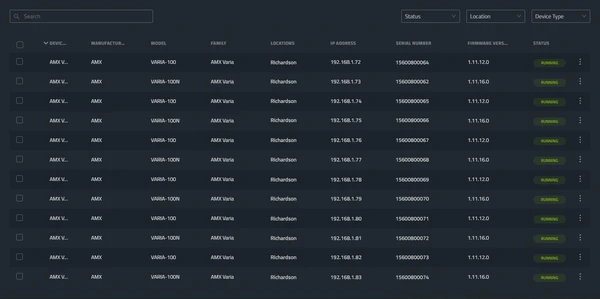
    อุปกรณ์ HARMAN ที่เข้ากันได้บนเครือข่ายจะถูกค้นหาโดยอัตโนมัติและเพิ่มเข้าใน Manager เพื่อติดตามสถานะแบบทันทีและเข้าถึงการกำหนดค่า

  • การกำหนดค่า

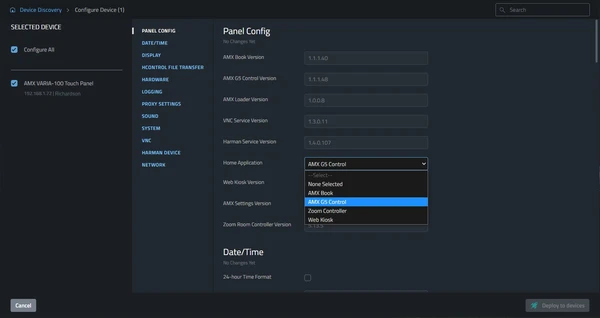
    สามารถกำหนดค่าอุปกรณ์แต่ละตัว การติดตั้งทั้งหมด หรือกลุ่มอุปกรณ์ขนาดใดก็ได้พร้อมกัน ซึ่งช่วยลดเวลาการปรับใช้และลดโอกาสข้อผิดพลาด

    **Improvements:** - **Heading:** Removed redundant "การตั้งค่า" (the existing "การกำหนดค่าการตั้งค่า" is repetitive). "การกำหนดค่า" alone is the standard Thai term for "configuration." - **Sentence flow:** Added "ซึ่ง" (which) to connect the action with its benefits, creating smoother formal prose. - **Register:** Changed "ของข้อผิดพลาด" (of errors, slightly awkward) to "ข้อผิดพลาด" (errors) for more direct professional tone. - **Brevity:** Removed unnecessary words while maintaining clarity and formality appropriate for B2B technical copy.
  • อัปเดตเฟิร์มแวร์

    ปรับใช้อัปเดตเฟิร์มแวร์กับอุปกรณ์ทั้งหมดหรือบางตัวโดยไม่ต้องใช้ซอฟต์แวร์เฉพาะของอุปกรณ์

การกำหนดค่าแบบรวม

การปรับใช้แบบรวม

ทำให้ง่ายขึ้นอย่างมหาศาล

การค้นหาอุปกรณ์โดยอัตโนมัติ

อุปกรณ์ HARMAN ที่เข้ากันได้บนเครือข่ายจะถูกค้นหาโดยอัตโนมัติและเพิ่มเข้าใน Manager เพื่อติดตามสถานะแบบทันทีและเข้าถึงการกำหนดค่า

การกำหนดค่า

สามารถกำหนดค่าอุปกรณ์แต่ละตัว การติดตั้งทั้งหมด หรือกลุ่มอุปกรณ์ขนาดใดก็ได้พร้อมกัน ซึ่งช่วยลดเวลาการปรับใช้และลดโอกาสข้อผิดพลาด

**Improvements:** - **Heading:** Removed redundant "การตั้งค่า" (the existing "การกำหนดค่าการตั้งค่า" is repetitive). "การกำหนดค่า" alone is the standard Thai term for "configuration." - **Sentence flow:** Added "ซึ่ง" (which) to connect the action with its benefits, creating smoother formal prose. - **Register:** Changed "ของข้อผิดพลาด" (of errors, slightly awkward) to "ข้อผิดพลาด" (errors) for more direct professional tone. - **Brevity:** Removed unnecessary words while maintaining clarity and formality appropriate for B2B technical copy.

อัปเดตเฟิร์มแวร์

ปรับใช้อัปเดตเฟิร์มแวร์กับอุปกรณ์ทั้งหมดหรือบางตัวโดยไม่ต้องใช้ซอฟต์แวร์เฉพาะของอุปกรณ์

การดาวน์โหลด

Manuals
  เวอร์ชัน ภาษา ขนาด อัปโหลดแล้ว
file type icon User Guide - Manager
en เวอร์ชัน 1.1, อัปเดต: ก.ค. 2023
1.1  en  584 กิโลไบต์ ก.ค. 2023
Software
  เวอร์ชัน ขนาด อัปโหลดแล้ว
download icon for Manager Desktop Manager Desktop
เวอร์ชัน 1.03.0.205, เผยแพร่: ส.ค. 2024
1.03.0.205   240 เมกะไบต์ ส.ค. 2024

หากลิงก์ใดด้านบนแสดงตัวอักษรแปลกๆ ในเบราว์เซอร์ของคุณ โปรดคลิกขวาที่ไฟล์เพื่อบันทึกไว้ในคอมพิวเตอร์ของคุณ

คุณสมบัติ

  • การค้นหาอุปกรณ์โดยอัตโนมัติ – อุปกรณ์ HARMAN ที่รองรับจะถูกค้นหาโดยอัตโนมัติบนเครือข่าย
  • การตั้งค่าการกำหนดค่า – กำหนดค่าการตั้งค่าอุปกรณ์สำหรับอุปกรณ์จำนวนใดก็ได้พร้อมกัน
  • การอัปเดตเฟิร์มแวร์ – ปรับใช้การอัปเดตเฟิร์มแวร์ไปยังอุปกรณ์ทั้งหมดหรือบางอุปกรณ์บนเครือข่าย
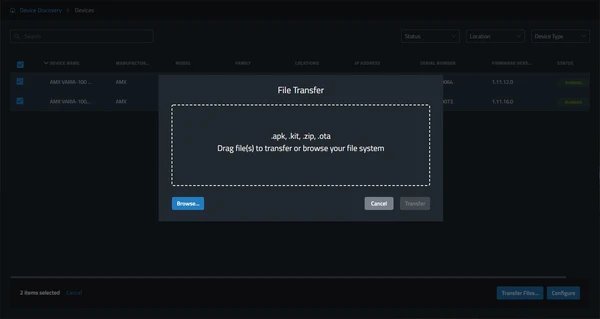
  • การโอนถ่ายไฟล์ – โอนถ่ายไฟล์ไปยังอุปกรณ์

ข้อมูลจำเพาะ

Supported Devices

AMX VARIA Touch Panels
AMX CE Series Control Extenders
AMX MU Series Automation Controllers
AMX SVSI N2600 Series Encoders and Decoders
AMX SVSI N3300 Series Encoders and Decoders

HARMAN Pro Insights

Full-Throttle Enterprise AV Control: Exploring the AMX Varia G5 Control Persona feature

Full-Throttle Enterprise AV Control: Exploring the AMX Varia G5 Control Persona

Selecting the right user interface for enterprise AV control is essential for delivering successful projects and an exceptional user experience. In this series, we explore AMX Varia touch panel personas—pre-loaded apps that define the complete panel experience. Previously, we spotlighted the Book Scheduling and Web

CONTINUE READING

AMX Varia Web Kiosk: Pro-Grade, Supercharged Simplicity feature

AMX Varia Web Kiosk: Pro-Grade, Supercharged Simplicity

AMX designed its Varia Touch Panels to become whatever you need them to be. Simply choose from one of several popular “personas”, such as a room scheduler, a web kiosk, or a traditional AMX G5 control panel, and that’s what your panels become. As quickly

CONTINUE READING

AMX MUSE: Empowering AV Developers with a Playground of Possibilities feature

AMX MUSE: Empowering AV Developers with a Playground of Possibilities

The MUSE automation platform from AMX is a uniquely different and powerfully flexible approach to designing AV control systems. By embracing standard tools and technologies, MUSE supports a variety of skill sets, expanding access to a wider group of developers. To better understand what’s possible

CONTINUE READING