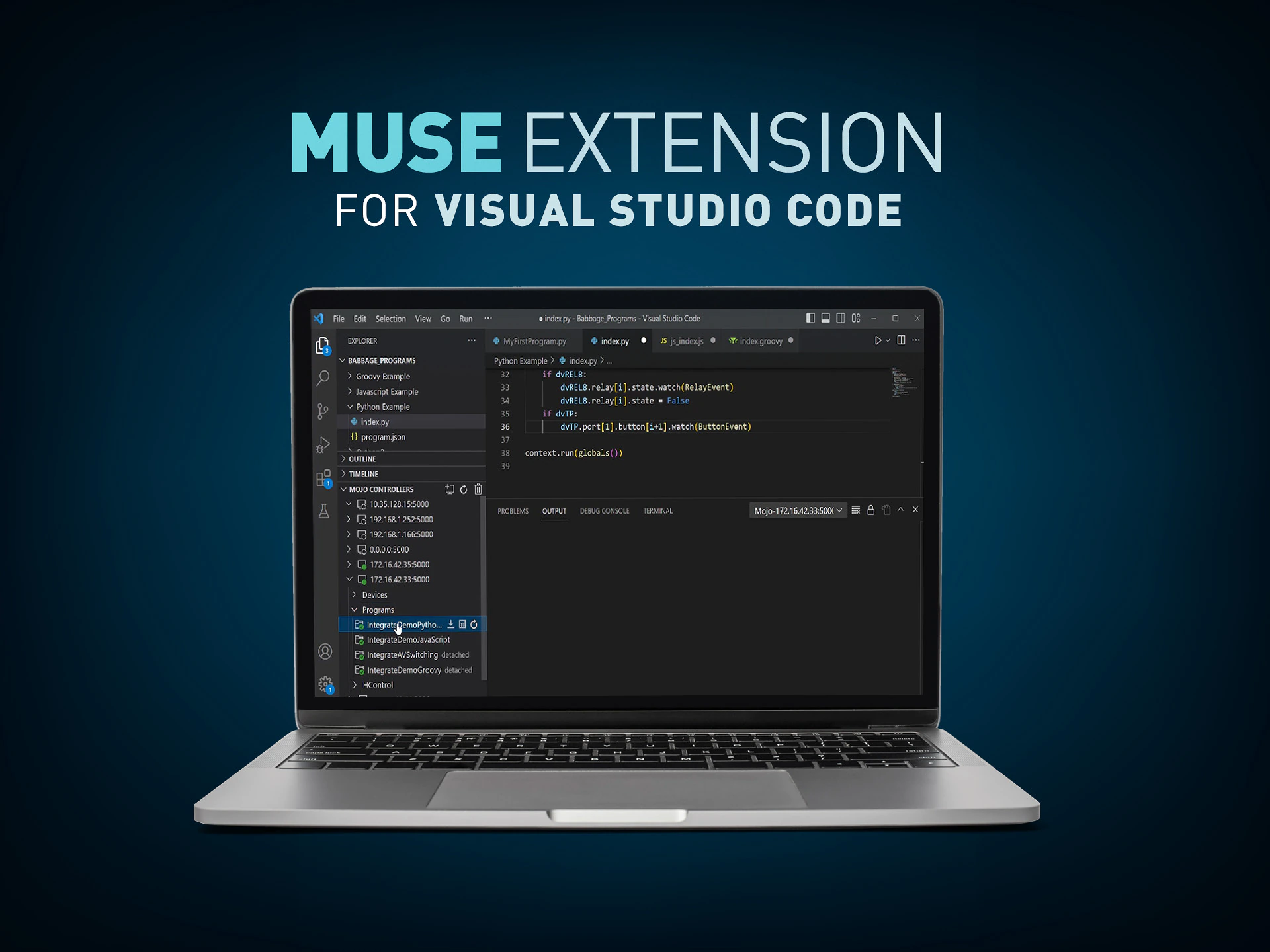
MUSE Extension สำหรับ Visual Studio Code เพิ่มแผงลงในExplorerซึ่งช่วยให้การโต้ตอบกับMUSE Automation Controllersง่ายขึ้นอย่างมาก ส่วนขยายนี้ทำให้การเชื่อมต่อกับMUSE Automation Controllersและดูอุปกรณ์ที่เชื่อมต่อกับตัวควบคุมเหล่านั้นเป็นเรื่องง่ายดาย การโหลดและจัดการสคริปต์ในแต่ละตัวควบคุมยังเป็นเรื่องง่ายผ่านส่วนขยายนี้เช่นกัน
CONNECT MUSE DEVICES
Connect to MUSE Devices to view status

LOAD SCRIPTS
Load scripts simply without the need to manage folder structures or create descriptor files
MANAGE SCRIPTS
Start, Stop, Attach, Enable, Disable, Download, and Delete scripts

CONNECT MUSE DEVICES
Connect to MUSE Devices to view status

LOAD SCRIPTS
Load scripts simply without the need to manage folder structures or create descriptor files

MANAGE SCRIPTS
Start, Stop, Attach, Enable, Disable, Download, and Delete scripts
Visual Studio Code is, by far, the world’s most popular code development environment. It’s a free tool built on open-source and is supported by an active community and corporate support from Microsoft. VS Code installations can be customized through the use of extensions that add languages, debuggers, and many other features. The MUSE Extension greatly simplifies using MUSE Automation Controllers with VS Code.
Software
| |
เวอร์ชัน |
ขนาด |
อัปโหลดแล้ว |
|
|
|
|
|
|
|
1.5.13
|
498 เมกะไบต์
|
ก.พ. 2026
|
Programming Guides
| |
เวอร์ชัน |
ขนาด |
อัปโหลดแล้ว |
|
|
1.7 |
3.72 เมกะไบต์ |
มี.ค. 2026 |
หากลิงก์ใดด้านบนแสดงตัวอักษรแปลกๆ ในเบราว์เซอร์ของคุณ โปรดคลิกขวาที่ไฟล์เพื่อบันทึกไว้ในคอมพิวเตอร์ของคุณ
The MUSE automation platform from AMX is a uniquely different and powerfully flexible approach to designing AV control systems. By embracing standard tools and technologies, MUSE supports a variety of skill sets, expanding access to a wider group of developers. To better understand what’s possible
CONTINUE READING