MD-702 Acendo Book

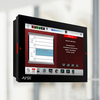
AMX Acendo Book 7” Scheduling Touch Panel

รูปภาพขนาดใหญ่

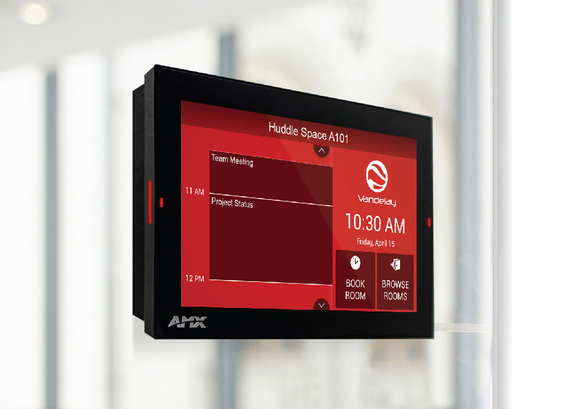
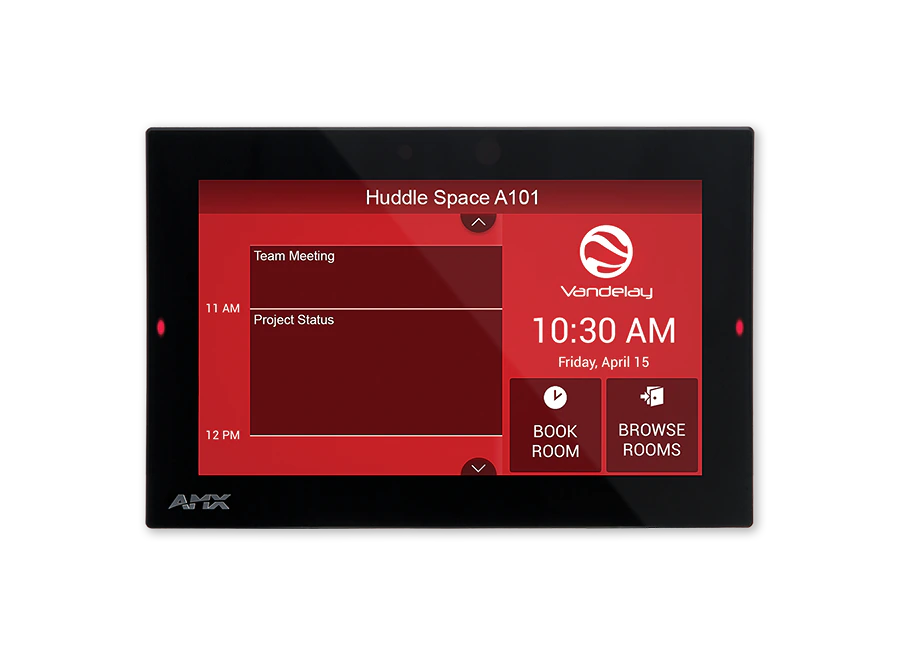
แผงสัมผัส Acendo Book 7" รุ่นที่สองเป็นแผงกำหนดตารางเวลาที่บูรณาการกับซอฟต์แวร์กำหนดตารางเวลาห้องยอดนิยม เช่น Microsoft Exchange, Office 365 และ Google Calendar แถบแสดงความพร้อมใช้งานของห้องและสีพื้นหลังของอินเตอร์เฟซผู้ใช้จะเปลี่ยนแปลงระหว่างสีแดงและสีเขียวเพื่อแสดงความพร้อมใช้งานของห้อง ทำให้ผู้ใช้สามารถค้นหาและจองห้องว่างได้อย่างง่ายดายจากแผงโดยตรง และหากห้องนั้นกำลังจองอยู่ ผู้ใช้สามารถค้นหาห้องว่างที่อยู่ใกล้เคียงที่สุดหรือช่วงเวลาว่างครั้งต่อไปได้อย่างรวดเร็ว

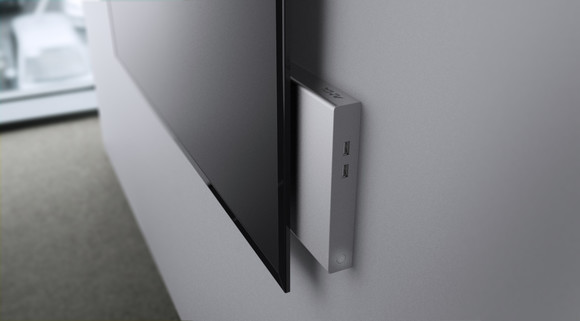
Acendo Book มีหน้าจอแบบ capacitive touch, โปรเซสเซอร์ Quad-Core ที่มีประสิทธิภาพ และการออกแบบโปรไฟล์ต่ำสำหรับความสวยงามที่สวยงาม สามารถติดตั้งบนพื้นผิวเรียบใด ๆ รวมถึงกระจกหรือหินภายในหรือนอกห้องประชุมหรือห้องเรียน เพื่อให้มีความยืดหยุ่นเพิ่มเติม แผงสัมผัส 7" สามารถใช้งานเป็นแผงควบคุม Modero G5 หรือแผงกำหนดตารางเวลา Acendo Book โดยใช้เครื่องมือกำหนดค่าในตัว ไม่จำเป็นต้องใช้ซอฟต์แวร์เพิ่มเติม การเขียนโปรแกรม หรือค่าใช้จ่ายใด ๆ

รายละเอียดเพิ่มเติม

  • Ideal for businesses of all sizes wishing to optimize room utilization by implementing facility-wide room scheduling.
  • The MD-702 can be used as a scheduling panel for meeting rooms and auditoriums 

การดาวน์โหลด

Manuals
  ขนาด อัปโหลดแล้ว
3.91 เมกะไบต์ ก.ค. 2018
CAD Drawings
  ขนาด อัปโหลดแล้ว
file type icon Pictorial Drawing - MD-702 (PDF)
อัปเดต: ต.ค. 2020
97.4 กิโลไบต์ ต.ค. 2020
Firmware
  เวอร์ชัน ขนาด อัปโหลดแล้ว
download icon for Acendo Book (MD Panels) Firmware Acendo Book (MD Panels) Firmware
เวอร์ชัน 2.0.0, เผยแพร่: ม.ค. 2024
2.0.0   289 เมกะไบต์ ม.ค. 2024
Quick Start Guides
  ขนาด อัปโหลดแล้ว
file type icon Quick Start Guide Guide - MD-702
อัปเดต: ต.ค. 2020
766 กิโลไบต์ ต.ค. 2020
Data Sheets
  ขนาด อัปโหลดแล้ว
file type icon MD-702 - Data Sheet
อัปเดต: ก.ย. 2019
442 กิโลไบต์ ก.ย. 2019

หากลิงก์ใดด้านบนแสดงตัวอักษรแปลกๆ ในเบราว์เซอร์ของคุณ โปรดคลิกขวาที่ไฟล์เพื่อบันทึกไว้ในคอมพิวเตอร์ของคุณ

คุณสมบัติ

  • Capacitive Touch Screen – A fast and flawless touch screen that enhances screen durability, smudge and scratch resistance
  • Flexible – Transform Acendo Book into a Modero G5 control interface using a built-in configuration tool – no programming or additional hardware required
  • Quad-Core Processor – Fast and responsive user interface
  • Secure – Updated firmware provides 802.1x and IPv6 availability
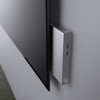
  • On-Panel Room Availability Indicators on the Front and Sides of the Panel – Side-panel LED indicators to allow users to easily determine when a room is available
  • Scheduling Panel that's Quick and Easy to Install – Reduces cost by streamlining installation, simplifying configuration, and eliminating the need for a controller or programming
  • Acendo Book integrates and synchronizes with the most popular scheduling platforms, including Microsoft Exchange, O365, and Google Calendar. Book panel can connect directly to RMS for installations that require Modern Authentication
  • Available Room Locator – Panel will suggest other currently available rooms at the push of a button
  • Diverse Mounting Options – Mount the panel virtually anywhere, including glass
  • On-Panel Room Booking – Quickly book available rooms directly from the panel

ข้อมูลจำเพาะ

Display Size (WH) Landscape 7.3" x 4.8" (186 mm x 122 mm), 8.8" (222 mm) diagonal
Viewable Area (WH) Landscape 6.05" x 3.54" (154 mm x 90 mm), 7.0" (178 mm) diagonal
Resolution 1024x600
Touch Overlay Capacitive
FG Numbers FG5969-55BL
Supported Scheduling Systems

Microsoft Exchange, Microsoft Office 365, Google Calendar

Modern Authentication support requires RMS. For more information about Acendo Book and Modern Authentication, visit https://help.harmanpro.com/modern-authentication-for-acendobook-roombook-panels

ข่าว