อัปเดตล่าสุด: 28 ต.ค.
Build Notes
-------------------------------------------------------------------------------
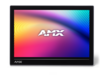
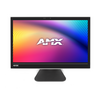
All AMX Varia Touch Panels:
FG#: AMX-UTP0501, AMX-UTP0801, AMX-UTP0811, AMX-UTP0811N, AMX-UTP1011, AMX-UTP1011N, AMX-UTP1511, AMX-UTP1511N
Firmware Version: 2.13.24
Build Date: October 24th, 2025
Device Id | AMX Varia
----------------------
0x0220 | VARIA-SL50
0x0222 | VARIA-SL80
0x0221 | VARIA-80, VARIA-80N
0x0223 | VARIA-100, VARIA-100N
0x0224 | VARIA-150, VARIA-150N
Prerequisites: None
-------------------------------------------------------------------------------
Changes since firmware release version 2.13.19
-------------------------------------------------------------------------------
Other
* NXP MIPI driver code update to resolve incomplete sleep command, which caused an unknown status when resuming back to a wake state. This update resolves the issue with discolored or half-blank screens seen on some VARIA-100 & VARIA-100N touch panels.
-------------------------------------------------------------------------------
Known Issues/Requests
-------------------------------------------------------------------------------
* Multiple videos streaming can cause the G5 app to restart if the panel runs out of memory
* After changing persona form Manager, a panel reboot may be required for Manager to recognize the newly selected persona
* A firmware update may reset the display timeout to "Never Sleep"
*** During the firmware update, the Varia Updater screen may not show. This prevents the user from tracking the firmware update progress.
*** However, the firmware is updating. Please wait about 20-25 mins after transfer to observe that the firmware updated successfully.
These Listview issues will be addressed in an upcoming hotfix:
* Sending the ^LVF command without the filter character sequence does not clear the filter
* Sending the ^LVR command fails to load/populate the Listview display widget. Currently, a panel reboot will resolve this.
* Secondary text is not displayed on a Listview button
* Listview buttons on a subpage are not populated after a panel reboot. A swipe is required to update the Listview buttons.
 ดาวน์โหลด