
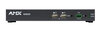
NMX-DEC-N2235A-C Decoder Card
ยกเลิกการผลิต

JPEG 2000 1080p Low-Latency Decoder พร้อมอินเทอร์เฟซ KVM PoE, SFP, HDMI และการรองรับ AES67

AMX_color_RGB

ผลิตภัณฑ์ทดแทน

  • NMX-DEC-N2622S

    NMX-DEC-N2622S

    4K60 MWC/Dante AV-A และตัวถอดรหัสมัลติ-โคเดกแบบ 1080p H.26x

โซลูชัน SVSI JPEG2000 NMX-ENC-N2135A-C และ NMX-DEC-N2235A-C แบบ encoder และ decoder มอบความสามารถที่ยืดหยุ่นที่สุดในอุตสาหกรรมสำหรับการกระจาย AV ผ่านเครือข่ายแบบ converged JPEG2000 compression เป็น codec ที่ผู้ใช้เลือก สำหรับผู้ที่ต้องการวิดีโอคุณภาพ HD ระดับซีนีมาที่มี latency ต่ำในระบบของพวกเขา SVSI Video over IP encoder ใช้เพื่อ encode และกระจายแหล่ง video จากรูปแบบเกือบทั้งหมดไปยังเครือข่าย IP ที่มีอยู่แล้ว ทำให้ stream นั้นพร้อมใช้งานสำหรับปลายทาง IP ใดก็ได้ในสถานที่ โดยใช้การเชื่อมต่อทองแดง และ/หรือ fiber SVSI Video over IP decoder ใช้เพื่อ decode networked AV stream สำหรับการแสดงผล ด้วยความสามารถในการนำเสนอ source stream ใดไปยัง display ใดก็ได้ ระบบการสลับและการกระจายที่มีขนาดใหญ่และมีต้นทุนต่ำสามารถใช้งานได้ง่ายโดยไม่ต้องใช้สาย proprietary หรือ hardware สลับเฉพาะ การควบคุมแบนด์วิดท์ที่ผู้ใช้เลือกได้ (10Mbps-600Mbps) ช่วยให้ปรับจูนได้อย่างแม่นยำโดยคำนึงถึงโหลดเครือข่ายและคุณภาพวิดีโอ

NMX-ENC-N2135A-C และ NMX-DEC-N2235A-C ต่างมีความสามารถ keyboard และ mouse extension over IP ผู้ใช้สามารถตั้งค่าตัวเลือกความปลอดภัยสำหรับการควบคุมอุปกรณ์ สามารถปิดความปลอดภัยเพื่ออนุญาตให้ decoder ใดก็ได้เชื่อมต่อกับคอมพิวเตอร์ใดก็ได้ที่เชื่อมต่อกับ encoder เช่น ในสภาพแวดล้อม call center ที่ความปลอดภัยประเภทนี้ไม่มีปัญหาและจำเป็นต้องเข้าถึงปลายทาง (endpoint) ทั้งหมด สามารถตั้งค่าความปลอดภัยเพื่ออนุญาตเฉพาะการเข้าถึงคอมพิวเตอร์ที่ระบุไว้หรือกลุ่มคอมพิวเตอร์ที่กำหนดไว้ – สภาพแวดล้อมที่สำคัญเช่นจุดควบคุมและศูนย์บัญชาการได้รับประโยชน์จากความปลอดภัยที่ปรับแต่งประเภทนี้

โซลูชัน SVSI อนุญาตให้จำนวน input ใดก็ได้เชื่อมต่อกับจำนวน output ใดก็ได้เพื่อสร้าง video matrix ที่มีขนาดและความสามารถในการขยายแบบไม่จำกัด เทคโนโลยี plug-n-play และ auto-detect ช่วยลดเวลาการติดตั้งและการเขียนโปรแกรม และ encoder และ decoder SVSI ทั้งหมดรวมความสามารถในการควบคุมที่มีตัวสร้าง

วิดีโอ


การดาวน์โหลด

Manuals
  ขนาด อัปโหลดแล้ว
1.05 เมกะไบต์ ต.ค. 2020
Software
  เวอร์ชัน ขนาด อัปโหลดแล้ว
MacOS download icon SVSI N-Able Mac
เวอร์ชัน 5.2.2, เผยแพร่: เม.ย. 2025
5.2.2   219 เมกะไบต์ เม.ย. 2025
Windows download icon SVSI N-Able PC
เวอร์ชัน 5.2.2, เผยแพร่: เม.ย. 2025
5.2.2   116 เมกะไบต์ เม.ย. 2025
Firmware
  เวอร์ชัน ขนาด อัปโหลดแล้ว
download icon for SVSI N2x35A Encoder and Decoder Firmware Updater SVSI N2x35A Encoder and Decoder Firmware Updater
เวอร์ชัน 1.15.18, เผยแพร่: พ.ย. 2021
1.15.18   44.7 เมกะไบต์ พ.ย. 2021
Product Guides
  เวอร์ชัน ขนาด อัปโหลดแล้ว
file type icon Product Guide - N-Series Minimum Network Requirement
เวอร์ชัน D, อัปเดต: ต.ค. 2025
201 กิโลไบต์ ต.ค. 2025
file type icon N-Series Stream Compatibility
อัปเดต: มิ.ย. 2024
  431 กิโลไบต์ มิ.ย. 2024
file type icon NET-SVSI-MIB.txt
อัปเดต: ส.ค. 2021
  94.5 กิโลไบต์ ส.ค. 2021
file type icon Product Guide - N-Series Video Wall/Crop Limitation
อัปเดต: ต.ค. 2020
  72.8 กิโลไบต์ ต.ค. 2020
Install Guides
  ขนาด อัปโหลดแล้ว
file type icon SVSI Networked AV - Pre-Implementation Guide
อัปเดต: มิ.ย. 2024
1.17 เมกะไบต์ มิ.ย. 2024
Programming Guides
  เวอร์ชัน ขนาด อัปโหลดแล้ว
file type icon Zoom Room Controls – SVSI Decoder Configuration Example
เวอร์ชัน 0.1.5, อัปเดต: ก.ย. 2021
0.1.5  132 กิโลไบต์ ก.ย. 2021
file type icon API Command List - SVSI N1000/N2000 Series
เวอร์ชัน F, อัปเดต: มิ.ย. 2020
277 กิโลไบต์ มิ.ย. 2020
Quick Start Guides
  ขนาด อัปโหลดแล้ว
328 กิโลไบต์ ก.ย. 2018
339 กิโลไบต์ มี.ค. 2018

หากลิงก์ใดด้านบนแสดงตัวอักษรแปลกๆ ในเบราว์เซอร์ของคุณ โปรดคลิกขวาที่ไฟล์เพื่อบันทึกไว้ในคอมพิวเตอร์ของคุณ

คุณสมบัติ

  • ความยืดหยุ่นในการออกแบบ – เข้ากันได้กับผลิตภัณฑ์ชุด SVSI N2000 ทั้งหมด ทำให้ผู้ออกแบบสามารถเลือกผลิตภัณฑ์ที่เหมาะสมสำหรับแต่ละจุดสิ้นสุด
  • การปรับขนาดอินพุตและเอาต์พุต – การปรับขนาดดำเนินการในเอนโคดเดอร์หรือดีโคดเดอร์เพื่อความยืดหยุ่นสูงสุดกับแหล่งที่มาและจอแสดงผล
  • Power Over Ethernet (POE) – ขจัดความจำเป็นในการจัดหาพลังงานท้องถิ่นและเร่งการติดตั้ง สามารถจ่ายไฟเพิ่มเติมจากท้องถิ่นจาก 12VDC ทำให้การติดตั้งแบบสแต็ก-ติดผนังและความหนาแน่นสูงเป็นเรื่องง่าย
  • อินฟราเรด (IR) – การเชื่อมต่ออีมิตเตอร์ช่วยให้ควบคุมอุปกรณ์จอแสดงผลที่ใช้ IR เท่านั้น
  • การติดตั้งอย่างรวดเร็ว – มีตัวเชื่อมต่อ Phoenix สำหรับอินเทอร์เฟซ Power, IR, RS232 serial และ audio แบบอะนาล็อก (balanced และ unbalanced)
  • Audio แบบ Balanced และ Unbalanced – 7.1 audio ฝังตัว (balanced และ unbalanced)
  • HDMI พร้อม HDCP – ส่งผ่านเนื้อหา HDMI ที่มีการป้องกัน
  • ตัวเลือกการเชื่อมต่อหลายแบบ – ตัวเชื่อมต่อเครือข่าย RJ-45 และ SFP รวมถึงการเชื่อมต่อวิดีโอ HDMI
  • KVM – ควบคุม Single USB-B และ Dual USB-A สำหรับแอปพลิเคชัน KVM
  • ความยืดหยุ่นในการควบคุม – ควบคุมแบบมีตัวควบคุมหรือภายนอก

ข้อมูลจำเพาะ

Video
  • Video Input: Network video over copper via RJ45 port or fiber via 1G SFP port
  • Video Output: HDMI, DVI-D (through adapter)
  • Formats: HDMI, DVI-D (through adapter), HDCP content protection support
  • Input Resolutions
    • Supports most common HD up to 1920x1200.
      • **720x480@59Hz, 640x480@60Hz, **720x480@60Hz, **720x576@50Hz, 800x600@56Hz, 800x600@60Hz, **1280x720@50Hz, **1280x720@59Hz, **1280x720@60Hz, 1360x768@60Hz, 1366x768@60Hz, 1024x768@60Hz, 1280x800@60Hz, 1152x864@60Hz, 1600x900@60Hz, 1440x900@60Hz, 1280x960@60Hz, 1280x1024@60Hz, 1680x1050@60Hz, 1920x1080@23Hz, 1920x1080@24Hz, 1920x1080@25Hz, 1920x1080@29Hz, 1920x1080@30Hz, **1920x1080@50Hz, **1920x1080@59Hz, **1920x1080@60Hz, **1920x1080i@50Hz, **1920x1080i@59Hz, **1920x1080i@60Hz, ***1920x1200@60Hz


**supported in component mode

***reduced blanking only

Audio
  • Input Signal Types: Network audio over Ethernet (audio at 48-kHz, standard SVSI audio stream or AES67, user selectable)
  • Output Signal Types: Embedded audio on HDMI or DVI-D (through adapter)
  • HDMI Audio Formats: 8ch PCM
  • Analog Audio Format: Stereo 2-channel
Latency
  • Video Latency: 50 ms at 60 fps
  • Audio Latency: standard SVSI audio stream = 17 ms (synced to video); AES67 = <1 ms adjustable to 17 ms


Note: This is the combined encode plus decode latency. Total latency from source to screen will also include any network latency.

Note: Scaling adds one frame of latency (17ms at 60fps)

Communications
  • Ethernet
    • PO: 10/100/1000 Mbps, auto-negotiating, auto-sensing, full/half duplex, DHCP, Auto IP, and Static IP
    • P1: 1 Gbps port which accepts compatible fiber transceivers or direct attach cables (fiber or copper cabling)
  • HDMI: HDCP, EDID management
Ports
  • +12V 2A: One 12 Volt DC power input.
  • P0
    • 8-wire RJ45 female.
    • 10/100/1000 Mbps 10/100/1000Base-T auto-sensing gigabit Ethernet switch port
    • Provides the network connection, network AV video, and power to the Encoders and Decoders
  • P1
    • SFP port (SFP fiber transceiver or direct attach cable not included)
    • Provides the network connection and network AV video
  • IR
    • 2-pin terminal Phoenix connector
    • Provides Infrared (IR) output only (33-60 kHz; typically 39 kHz). Emitter may be necessary (not included).
  • RS232
    • 3-pin terminal Phoenix connector
    • Provides a serial control interface. Full duplex communication. Available terminal speed settings: 9600-115200 baud rate
  • AUDIO
    • 5-pin terminal Phoenix connector
    • Provides user-selectable balanced/unbalanced output. Dedicated audio output
  • HDMI OUT: HDMI video output
  • USB connectors (front panel): One USB-B and two USB-A control inputs
Controls and Indicators - Front Panel
  • RESET button
    • Recessed pushbutton
    • Press to initiate a 'warm restart' causing the processor to reset, but not lose power. A reset does NOT affect the current settings
  • ID button
    • Recessed pushbutton
    • Press to send a notification out on the network to identify the unit (the notification causes a pop-up dialog in N-Able and N-Command)
  • POWER LED
    • On solid (green) when operating power is supplied (via PoE or local power supply)
    • This activity is also shown by the PWR LED on the rear panel
  • STATUS LED
    • On flashing (green) when there is software activity
    • This activity is also shown by the STAT LED on the rear panel
Controls and Indicators - Rear Panel
  • PWR LED: Same as POWER LED described above
  • HDMI LED: On (green) when there is a connection to a valid video display
  • STAT LED: Same as STATUS LED described above
  • STRM LED: On (green) when the unit is streaming video
Environmental
  • Temperature: 32° to 104°F (0° to 40°C)
  • Humidity: 10% to 90% RH (non-condensing)
  • Heat Dissipation: Up to ~44 BTU/hr
General
  • Regulatory Compliance: FCC, CE, and NTRL
  • Recommended Accessories:
    • NMX-ACC-N9206 (FGN9206), 2RU Rack Mount Cage with Power for Six SVSI N-Series Card Units
FG Numbers FGN2235A-CD

NMX-DEC-N2235A-C Decoder Card
ยกเลิกการผลิต

JPEG 2000 1080p Low-Latency Decoder พร้อมอินเทอร์เฟซ KVM PoE, SFP, HDMI และการรองรับ AES67