อัปเดตล่าสุด: 22 ต.ค.
Release Notes

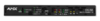
DXLink HDMI Transmitter Module Firmware
(Enova DGX 100 Series Compatible)

FG#:
  FG1010-300    (AVB-TX-HDMI-DXLINK, DXLink HDMI Transmitter Module)
  FG1010-310    (DX-TX, DXLink Multi-Format Transmitter Module)
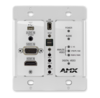
  FG1010-320-BL (DX-TX-WP, DXLink Multi-Format Wallplate Transmitter)
  FG1010-320-WH (DX-TX-WP, DXLink Multi-Format Wallplate Transmitter)
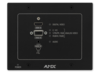
  FG1010-325-BL (DX-TX-DWP, DXLink Multi-Format Decor Style Wallplate Transmitter)
  FG1010-325-WH (DX-TX-DWP, DXLink Multi-Format Decor Style Wallplate Transmitter)

Release Date: 08/06/2018
Current Released Firmware: v1.8.47
SW1010_3XX_AVB_KIT_DXLINK_TX_v1_8_47.kit


----------------------------------------------------------
Table of Contents
----------------------------------------------------------

1. Prerequisites
2. Features added in this release
3. Fixes in this release
4. Notable Points
5. Programming Information

----------------------------------------------------------
1. Prerequisites
----------------------------------------------------------

For best results
- DXLink RX must have v1.13.28 (or later)
- Enova DGX 800/1600/3200/6400 should have v3.6.x (or later)
- NX Controller should have 1.6.x (or later)
- Legacy Enova DGX 8/16/32/64 enclosures should have v2.2.8 (or later)
- NetLinx Studio v4.3.1519 (or later)

----------------------------------------------------------
2. Features added in this release
----------------------------------------------------------
- For point to point setups, added ability to detect a mirrored
  4k sink edid and change it to 2k All Resolutions edid only
  so sources will not send 4k content to the MFTX-RX
  Setup:  MFTX -> RX -> 4k display
- For point to point setup, added VIDIN_EDID and VIDIN_PREF_EDID
  commands to the HDMI input so they will persist their setting
  and be restored after a reboot

----------------------------------------------------------
3. Fixes in this release
----------------------------------------------------------
- Fixed issue allowing VGA video to pass to DGX with prequal enabled
- Fixed issue where DXLINK input of DVX would flicker with laptop
  VGA to MFTX, going from duplicate to extend mode
- Fixed issue where video from MacBooks would not sync well
- Fixed long term video issue where output may get stuck showing
  black on the display
- Fixed a video flickering issue for certain sources
- Fixed video flicker when VGA was transmitted and HDMI was
  plugged in or unplugged.
- Fixed issue that could cause MFTX to not come online
- Fixed issues in point to point using HDMI retractor cable

----------------------------------------------------------
4. Notable Points
----------------------------------------------------------

- PLEASE READ the documentation in regard to the DIP
  switches located on the bottom of the Tx/Rx modules
  before attempting to connect to the network

- After a FACTORYAV (ICSP) or RESET FACTORY (telnet)
  command, a reboot of the endpoint is required.

----------------------------------------------------------
5. Programming Information
----------------------------------------------------------
- !!This firmware version requires Enova DGX 100 Series
  compatibility on connected Enova DGX systems!!

- Please reference the Enova DGX Board and Endpoint
  Compatibility Instructions on the AMX.com product
  page for more information

- PLEASE reference Appendix A (Upgrading the Firmware) in the
  DXLink Instruction Manual for more information.
 ดาวน์โหลด