Last Updated: Oct 29
Release Notes

Products: JPK-1300-UA, JPK-1300-EK
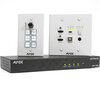
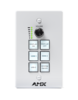
Description: AMX Jetpack Kit includes Receiver, Wallplate Transmitter, and Keypad
FG#: AMX-VTK0001 (US and Asia)
 AMX-VTK0001EK (Europe and UK)

File Name: SW_AMX-JPK-1300_v1.04.04.bin
Release Date: 10/22/2024
Firmware Version: V1.04.06

 - Receiver: V1.04.06
 - Wallplate TX: V1.01.11
 - Keypad: V1.01.08
 - Web: V1.00.29


1. Prerequisites
2. Features added in this release
3. Fixes in this release:
4. Known Issues
5. Programming Information
6. Notable Points

----------------------------------------------------------
1. Prerequisites
----------------------------------------------------------
- Requires v1.03.10 or later to update

----------------------------------------------------------
2. Features added in this release:
----------------------------------------------------------
- None

Features in previous 1.04.04
FW and Webgui
 - Added IR Volume control option and IR Volume Up/Down learning. This allows control of the
 connected HDMI display when using the keypad knob or API commands to set volume or mute.
 - Added Daylight Saving Time feature.
 New feature settings are persisted to the config.json file
 Note: See instruction manual for details on new commands. See Webgui pages for updated features.

----------------------------------------------------------
3. Fixes in this release:
----------------------------------------------------------
 MCU fixes
 - Optimized IR Learning function to prevent IR Learning failures from certain remote controllers (i.e. SONY, Philips, etc.)
 - Corrected issue where extra bytes were being appended to the IR code when pressing the "Save" button
 - Fixed a logic issue where DISPLAY ON in a SCHEDULED EVENT was not being triggered when there was no signal
 present on the switched input. Now, when DISPLAY ON is triggered in a SCHEDULED EVENT, it will turn on
 regardless of signal presence. Also note that if Auto Switching is Enabled when SYSTEM ON is selected, it
 will also trigger the DISPLAY ON function if a valid signal is detected on ANY input.
 - Modified RS-232 HOST Mode so that the serial port will not respond to any peripheral feedback commands from
 the connected external device being controlled. Note: To send commands from an external controller/PC to
 control the JPK-1300 you must use Client Mode)
 - Corrected the problem of reverse polarity of RS-232 serial port ODD/EVEN Parity Bits. Note: If you
 previously worked around this issue by choosing opposite parity, then after updating to this firmware
 you will need to revert back to the correct parity.
 - Fixed issue when the configuration (json) file is imported, the RS-232 serial port command was displayed but there
 was no actual command output

Web fixes
 - Updated text on Factory Default pop-up confirmation for clarity
 - Upgraded dropbear SSH client to version 2022.83

Fixes in previous V1.04.04
 - None

Fixes in previous V1.04.03
 - Optimized Web Reboot feature so it will restart in the login interface automatically
 - Resolved Save/Load config problem causing serial port commands to not be exported/imported
 properly in ASCII

Fixes in previous v1.04.02
Webgui
 - Clarify the private key supported format (both .key and .pem) for HTTPS certificate on the Webgui

FW
 - Fix feedback issue on Telnet/SSH when pressing either the “SOURCE” button on the Wall-plate TX
 or pressing “HDMI 1”, “HDMI 2” and “USB-C” button on the keypad

Fixes in previous V1.04.01
MCU
 - Optimize time zone setting related operations

Webgui
 - Fixed the time format
 - Disable Time Zone function and optimize logic when Set Time Automatically is set to OFF
 - Corrected an issue where saving the Schedule did not notify user if the save was successful

FW
 - Fixed issue where the product would not get the IPv6 address assigned by IPv6 server
 - Fixed audio/video issue when switching output mode between "sharing the screen" and "Samsung DEX"
 using Type-C channel

API
 - Fixed "set dns" command
 - Corrected the IPV6 Mask Prefix (aka. Subnet Prefix Length) received from the API command "get ipv6"
 to properly match the Webgui value

----------------------------------------------------------
4. Known Issues
----------------------------------------------------------

 - IMPORTANTE: After upgrading the firmware, it is best to perform a factory reset, to make sure any new or
 updated parameters will get properly initialized

----------------------------------------------------------
6. Notable Points
----------------------------------------------------------
 - USB2.0 SPDIF Audio requires 8 sec to be detected by USB-C Source when using USB2.0 Type-C to Type-C cable
 - Below is a summary to get Video and full functionality of Jetpack USB-C (DisplayPort, KVM and SPDIF Audio over USB2.0)
 -- For USB Type-C Video: The cable and source must support "DP Alt Mode"
 -- For USB-C Cable: Jetpack supports a maximum AV date rate up to 10Gbps (4K60:420 or 4K30/444), so the data transport
 rate of the cable needs to support up to 10Gbps.
 --- Based on DP Alt Mode for USB-C standard, USB-C Cable need compliant to:
 --- USB3.1 Gen1 (Equal to USB3.0) – 5Gbps (Lowest requirement to get full-feature of Jetpack USB-C connection)
 --- USB3.1 Gen2 – 10Gbps (Recommend requirement to get full-feature of Jetpack USB-C connection)
 --- Or higher version
 download