Last Updated: Aug 21
Release Notes
Products: JPK-1300-UA, JPK-1300-EK
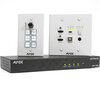
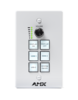
Description: AMX Jetpack Kit includes Receiver, Wallplate Transmitter, and Keypad
FG#: AMX-VTK0001 (US and Asia)
AMX-VTK0001EK (Europe and UK)
File Name: SW_AMX-JPK-1300_v1.04.04.bin
Release Date: 7/24/2023
Firmware Version: V1.04.04
- Receiver: V1.04.04
- Wallplate TX: V1.01.11
- Keypad: V1.01.08
- Web: V1.00.27
1. Prerequisites
2. Features added in this release
3. Fixes in this release:
4. Known Issues
5. Programming Information
6. Notable Points
----------------------------------------------------------
1. Prerequisites
----------------------------------------------------------
- Requires v1.03.10 or later to update
----------------------------------------------------------
2. Features added in this release:
----------------------------------------------------------
FW and Webgui
- Added IR Volume control option and IR Volume Up/Down learning. This allows control of the
connected HDMI display when using the keypad knob or API commands to set volume or mute.
- Added Daylight Saving Time feature.
New feature settings are persisted to the config.json file
Note: See instruction manual for details on new commands. See Webgui pages for updated features.
----------------------------------------------------------
3. Fixes in this release:
----------------------------------------------------------
Fixes in previous V1.04.03
- Optimized Web Reboot feature so it will restart in the login interface automatically
- Resolved Save/Load config problem causing serial port commands to not be exported/imported
properly in ASCII
Fixes in previous v1.04.02
Webgui
- Clarify the private key supported format (both .key and .pem) for HTTPS certificate on the Webgui
FW
- Fix feedback issue on Telnet/SSH when pressing either the “SOURCE†button on the Wall-plate TX
or pressing “HDMI 1â€, “HDMI 2†and “USB-C†button on the keypad
Fixes in previous V1.04.01
MCU
- Optimize time zone setting related operations
Webgui
- Fixed the time format
- Disable Time Zone function and optimize logic when Set Time Automatically is set to OFF
- Corrected an issue where saving the Schedule did not notify user if the save was successful
FW
- Fixed issue where the product would not get the IPv6 address assigned by IPv6 server
- Fixed audio/video issue when switching output mode between "sharing the screen" and "Samsung DEX"
using Type-C channel
API
- Fixed "set dns" command
- Corrected the IPV6 Mask Prefix (aka. Subnet Prefix Length) received from the API command "get ipv6"
to properly match the Webgui value
----------------------------------------------------------
4. Known Issues
----------------------------------------------------------
- IMPORTANT: After upgrading the firmware, it is best to perform a factory reset, to make sure any new or
updated parameters will get properly initialized
----------------------------------------------------------
6. Notable Points
----------------------------------------------------------
- USB2.0 SPDIF Audio requires 8 sec to be detected by USB-C Source when using USB2.0 Type-C to Type-C cable
- Below is a summary to get Video and full functionality of Jetpack USB-C (DisplayPort, KVM and SPDIF Audio over USB2.0)
-- For USB Type-C Video: The cable and source must support "DP Alt Mode"
-- For USB-C Cable: Jetpack supports a maximum AV date rate up to 10Gbps (4K60:420 or 4K30/444), so the data transport
rate of the cable needs to support up to 10Gbps.
--- Based on DP Alt Mode for USB-C standard, USB-C Cable need compliant to:
--- USB3.1 Gen1 (Equal to USB3.0) – 5Gbps (Lowest requirement to get full-feature of Jetpack USB-C connection)
--- USB3.1 Gen2 – 10Gbps (Recommend requirement to get full-feature of Jetpack USB-C connection)
--- Or higher version
 download