ACR-5100
生産終了

Acendo Core ミーティングスペース コラボレーション システム

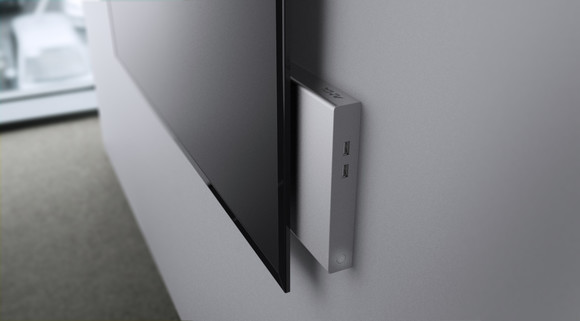
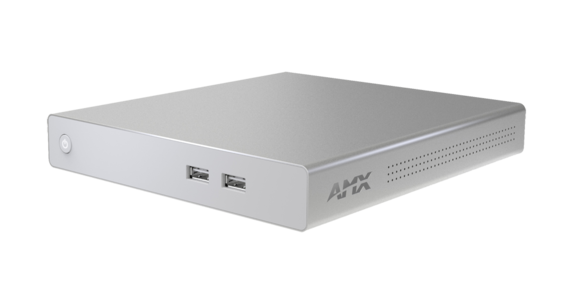
AMX_ACR-5100_Front_High

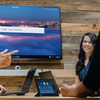
Delivering a flawless start to any meeting, Acendo Core enables vast web conferencing platform support including one-click Skype for Business and Zoom meeting launch, wireless document sharing, web browsing, and access to content from network drives, and a variety of scheduling functions including booking the room, extending the meeting, and browsing / scheduling nearby rooms. Make selections directly from an intuitive interface on the meeting space touch enabled display or with a keyboard and mouse.

The start screen has everything a user needs when they walk into the space. Join Skype for Business or Zoom meetings without having to find a link or meeting invite, share content wirelessly from a mobile device or PC using AirPlay, Miracast, or Google Cast, view documents from the web, cloud storage, network drive, or a USB thumb drive. Built-in document viewers allow for side-by-side view of two documents, and 4K support for dual monitors provides an optimal collaboration experience.

Acendo Core also allows users to quickly and easily perform a variety of space scheduling actions with direct integration into Exchange and Office 365, the start screen shows the day’s schedule for the room. Is the room available? Book it right from the start screen. Is it busy? Browse and book a nearby available room. Acendo Core even delivers a warning when the meeting is about to end so users can extend their booking time, find another room, or wrap up the meeting so the next group can start on time.

より詳しい情報はこちら

  • As the number of small meeting spaces grows it becomes more and more critical to outfit spaces with technology that is multi-purpose, is easy to install, works the way the user would expect, and offers a very low total cost of ownership through minimal to no maintenance.
  • Acendo Core fits this growing trend perfectly and can be used in open huddle spaces with only an LCD as well as larger conference rooms with a variety of complementary technology.

ダウンロード

Manuals
  バージョン 言語 サイズ アップロード日
file type icon Instruction Manual-English
更新: 2020年10月
    19.3MB 2020年10月
file type icon Instruction Manual - Acendo Core (Korean)
ko バージョン A, 更新: 2018年10月
ko  3.22MB 2018年10月
BIM Objects
  サイズ アップロード日
file type icon ACR-5100 - BIM Object
更新: 2019年8月
2019年8月
Software
  バージョン サイズ アップロード日
download icon for Acendo Core Meeting Space Collaboration System Software Acendo Core Meeting Space Collaboration System Software
バージョン 2.0.0.0, リリース日: 2019年8月
2.0.0.0   1.57GB 2019年8月
Data Sheets
  バージョン サイズ アップロード日
file type icon Data Sheet - ACR-5100
バージョン 10/25/19, 更新: 2020年10月
10/25/19  894KB 2020年10月
Quick Start Guides
  バージョン 言語 サイズ アップロード日
file type icon Quick Start Guide-English
更新: 2020年10月
    850KB 2020年10月
file type icon Quick Start Guide - Acendo Core (Korean)
ko バージョン A, 更新: 2018年10月
ko  421KB 2018年10月
Safety Sheets
  バージョン 言語 サイズ アップロード日
file type icon Safety Notes
更新: 2020年10月
    131KB 2020年10月
file type icon Safety Instructions - Acendo Core (Korean)
ko バージョン A, 更新: 2018年10月
ko  310KB 2018年10月

上記のリンクをクリックしてブラウザで文字化けが発生する場合は、ファイルを右クリックしてコンピューターに保存してください。

特長

  • Wide Support for Web Conferencing Platforms, including One-click Skype for Business and Zoom Meetings – Users can quickly and easily join a scheduled Skype for Business or Zoom meetings without having to find a link or meeting invite, enhancing productivity by reducing wait time.
  • Wireless Sharing - Acendo Core supports AirPlay, Miracast, and Google Cast so users can easily share content from mobile devices or PC.
  • Built-in Document Viewers – Users can present content without bringing any devices to the room. Users simply walk into the room, start a session, navigate to their document (USB drive, network drive, or the web), and start their presentation.
  • 4K, Dual Monitor and Touch Screen Support – Ensure meeting spaces are as engaging as they are simple to use.
  • Network Drive Support – Many enterprises choose to have all their documents stored on network drives. If a user authenticates into a meeting, they will have access to content stored on those drives. As Core is always on, there is no waiting for boot up time allowing users to access their network content quickly enhancing workforce productivity.
  • Active Directory Authentication – By natively integrating with Active Directory, users can authenticate into Acendo Core and access network drives. Furthermore, administrators have the option to require authentication in order to use Core for secure document and network access.
  • Simple and Intuitive On-screen Scheduling – At a glance users can see the status of the meeting room. From the start screen, users can book the room if it is available, start their meeting, or book a nearby room quickly, therefore minimizing wait time and improving productivity.
  • End-of-Meeting Notifications – Meetings start on time because the previous meeting ended on time. Meetings have an opportunity to wrap up cleanly and capture actions effectively because users are provided with a notification prior to the end of the scheduled meeting time.

仕様

FG Numbers FG4051-00

ニュース

ACR-5100
生産終了

Acendo Core ミーティングスペース コラボレーション システム